NEW GenRPA v4 is here! A new GenStudio, UI Explorer, process versions and more. See what's new
GenRPA v4 · new generation

Automate with bots, AI agents and people on one platform

GenRPA covers the whole automation lifecycle: design in GenStudio, run with GenBot and the Scheduler, manage in GenControlRoom. Version 4 adds UI Explorer, the Process Analyzer and safe publishing.
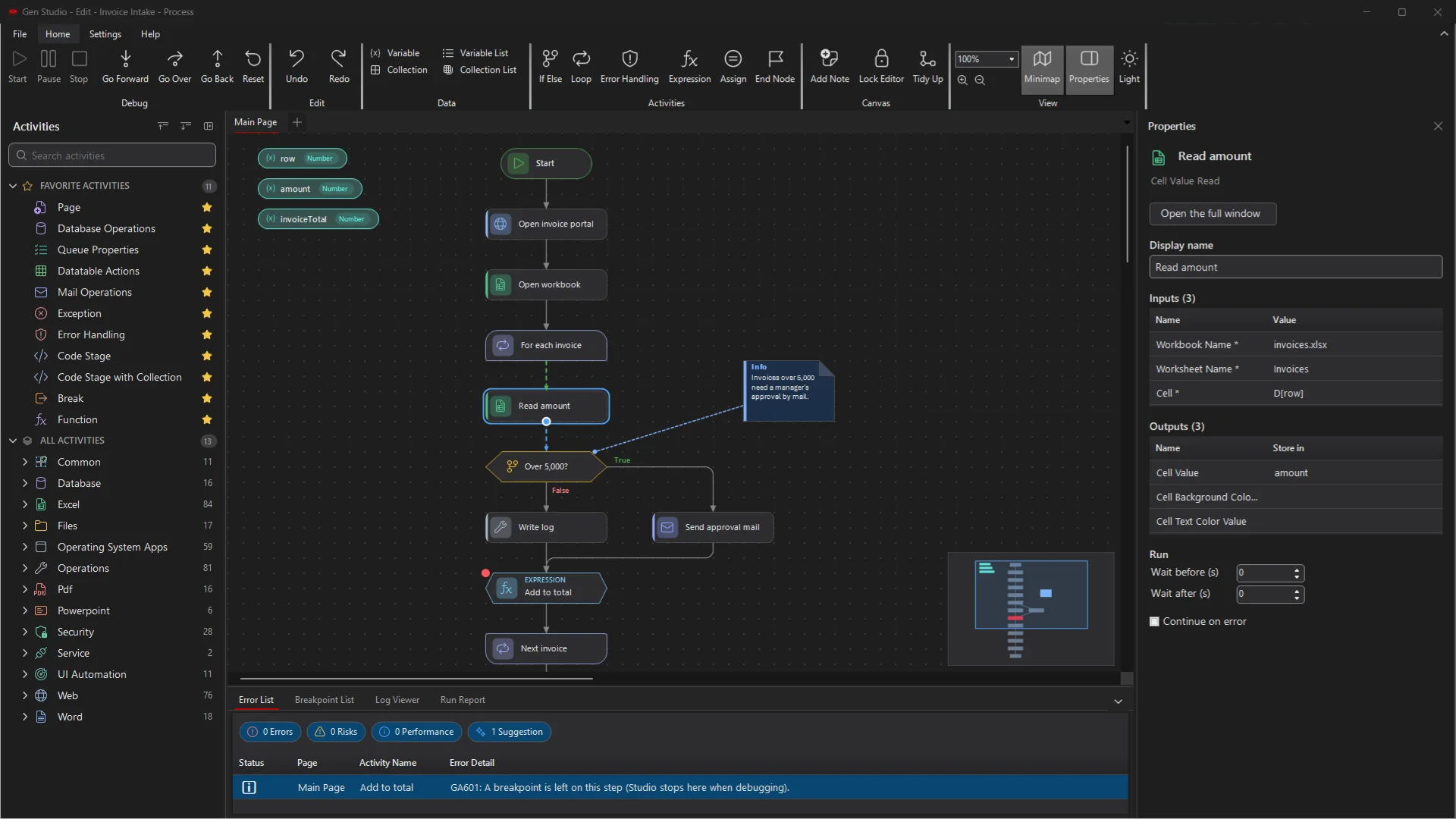
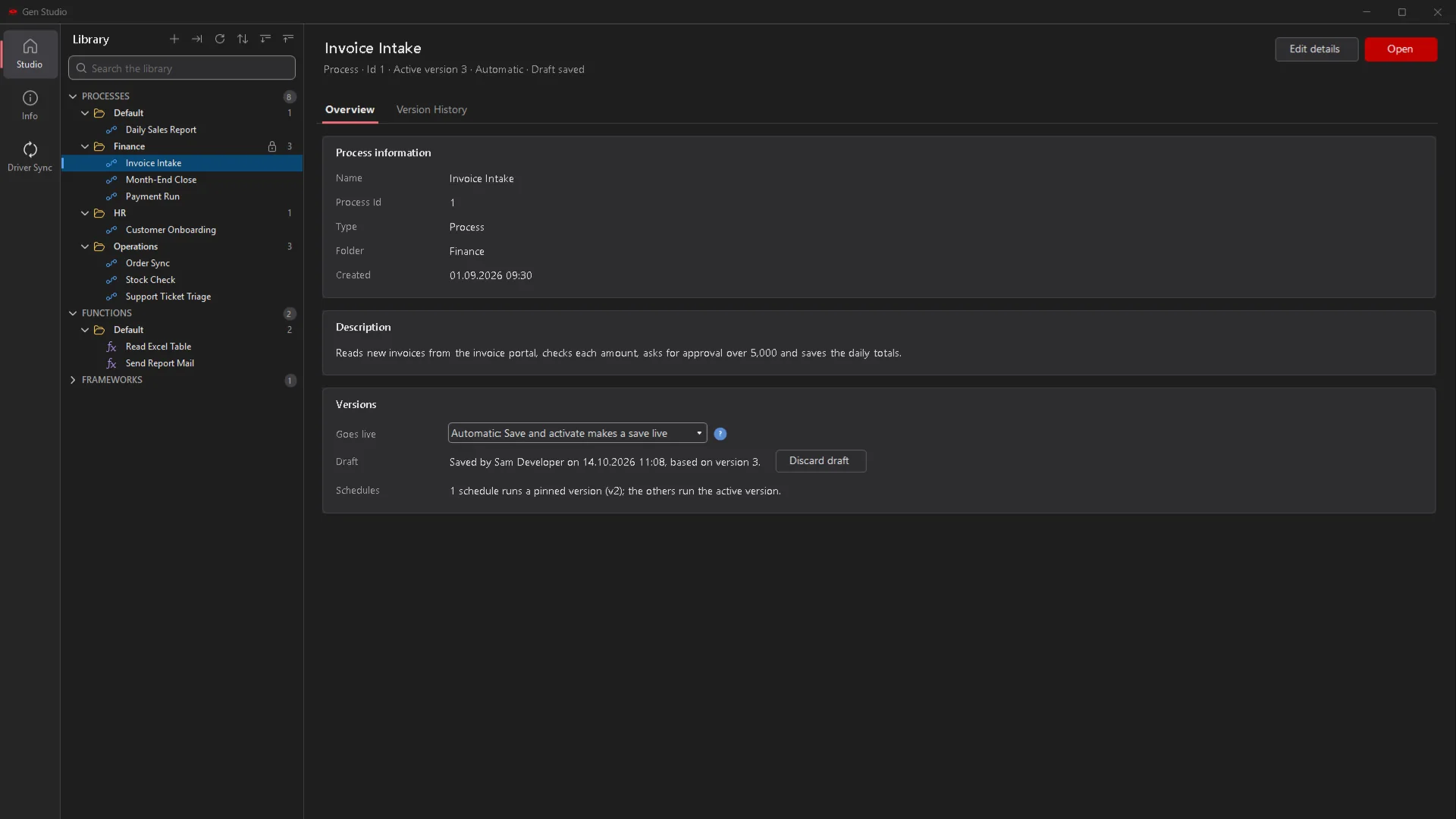
GenStudio in the dark theme with an invoice process, the Properties panel and the Error List
GenRPA

From manual work to a digital workforce

Replace copy-and-paste work with robots you can trust, and give AI agents a safe place in your processes.

Lower Operating Costs

Robots take over high-volume, rule-based work, so your people spend their time on the cases that need them.

Faster Service

Schedules and triggers start the work on time or as soon as a file, a record or an e-mail arrives, day and night.

Fewer Errors, Full Control

Every run is logged, every version is kept, and risky designs are flagged before go-live.

Product Tour

A closer look at GenRPA v4

The features your developers, operators and IT teams use every day.

GenStudio

A redesigned GenStudio, in light and dark

A start screen with a searchable library of processes, functions and frameworks. A ribbon grouped by task, an activity panel with favorites and recent items, and one consistent design for every window.
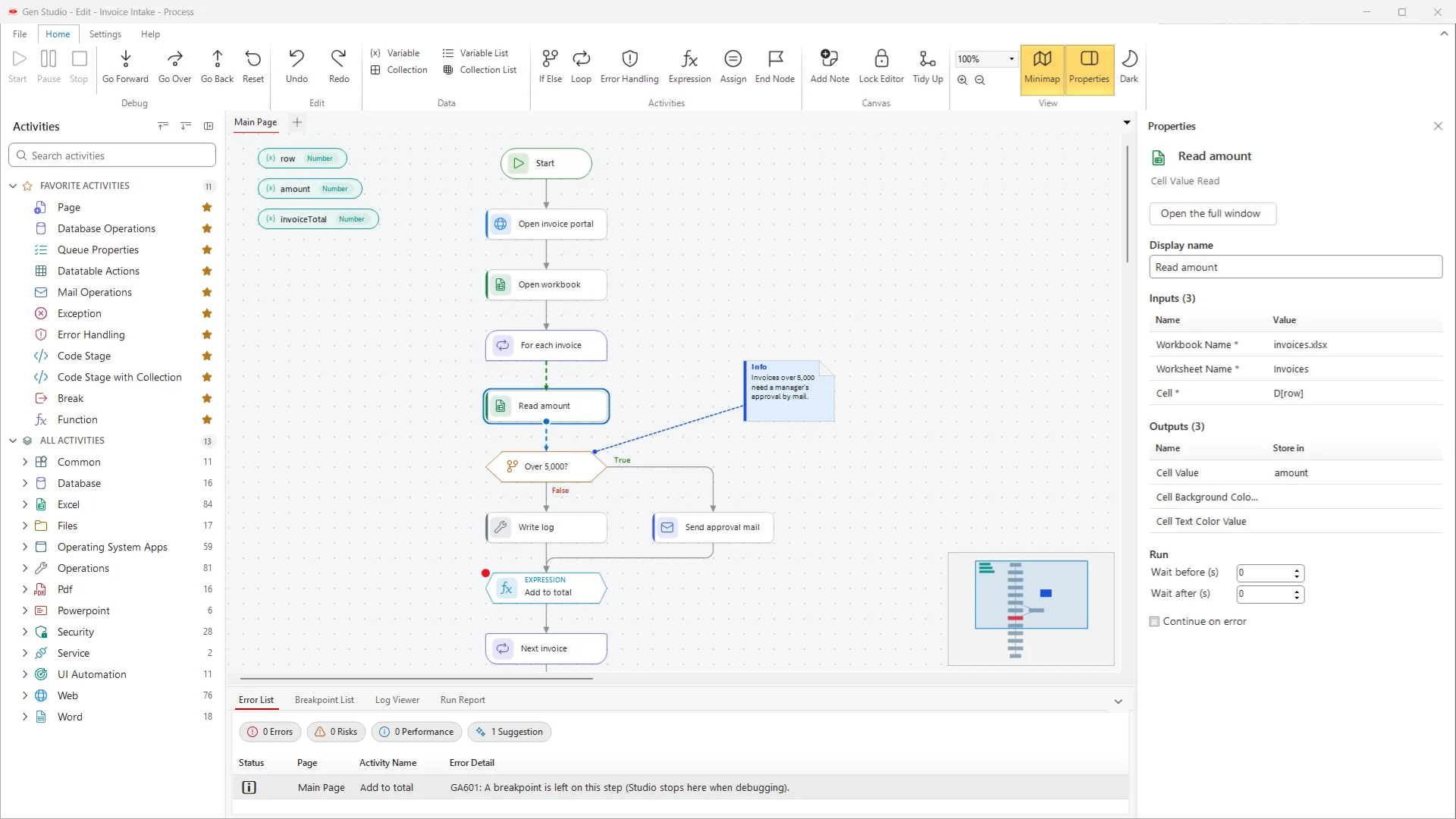
  • See each process with its active version, draft and schedules
  • Fits every screen, from 1024 x 768 servers to 4K monitors
  • A new dark palette that also colors the frame, tabs and scroll bars
GenStudio with an invoice process on the canvas, the Properties panel and the Error List
UI Automation

UI Explorer: one element picker for every application

Indicate an element in a Windows application, a Java or Delphi program, or a web page in Chrome or Edge. UI Explorer shows its place in the element tree, its selector, its properties and a picture of it.
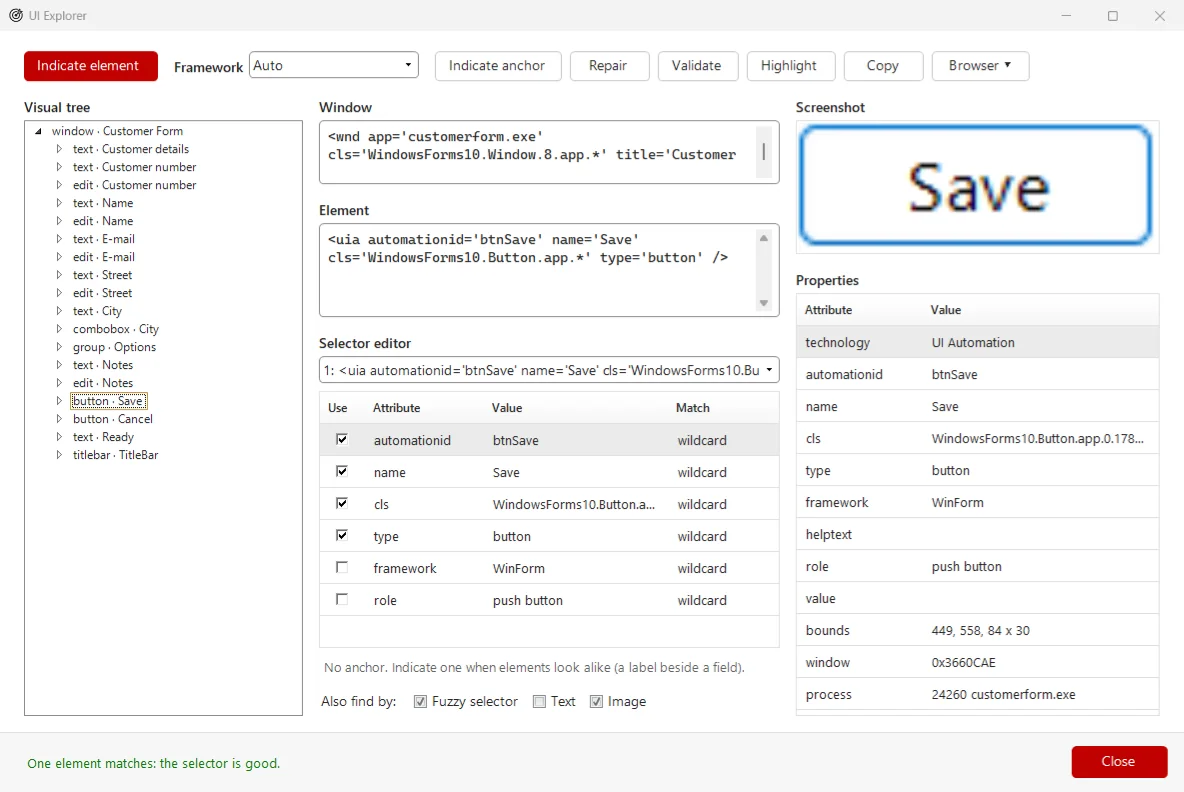
  • Edit and validate the selector; a green line confirms exactly one match
  • Add an anchor, and repair a target that stopped matching
  • Text, fuzzy and image fallbacks keep robots running when a screen changes
  • Eleven new UI Automation activities; older steps upgrade in one click
UI Explorer with the element tree, the selector editor and the properties of a picked Save button
Quality

Process Analyzer: catch mistakes before the robot runs

While you design, the Error List checks your flow against design rules and groups the findings as Error, Risk, Performance and Suggestion. The step in question is marked on the canvas.
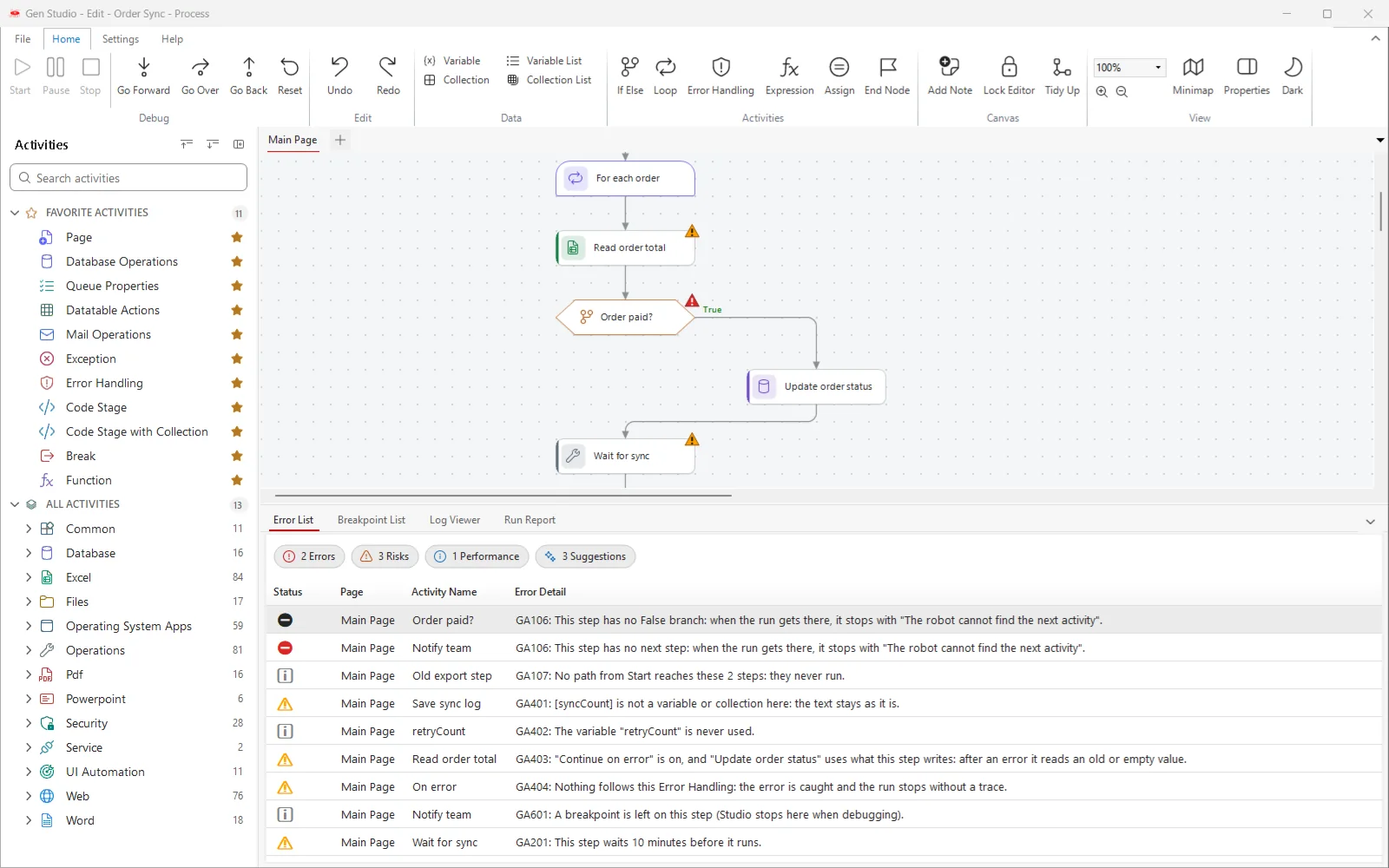
  • Finds endless loops, steps without a next step and resources left open
  • The Run Report lists the slowest and most repeated steps of a run
  • Repeat run charts time and memory, so a leak shows before go-live
  • Findings guide you but never block saving or running
The Error List with errors, risks, a performance finding and suggestions, and warning marks on the canvas
Versions

Drafts, versions and controlled publishing

Save a draft without touching production, then activate it with a short summary. Every version stays in the history, and any of them can be made active again.
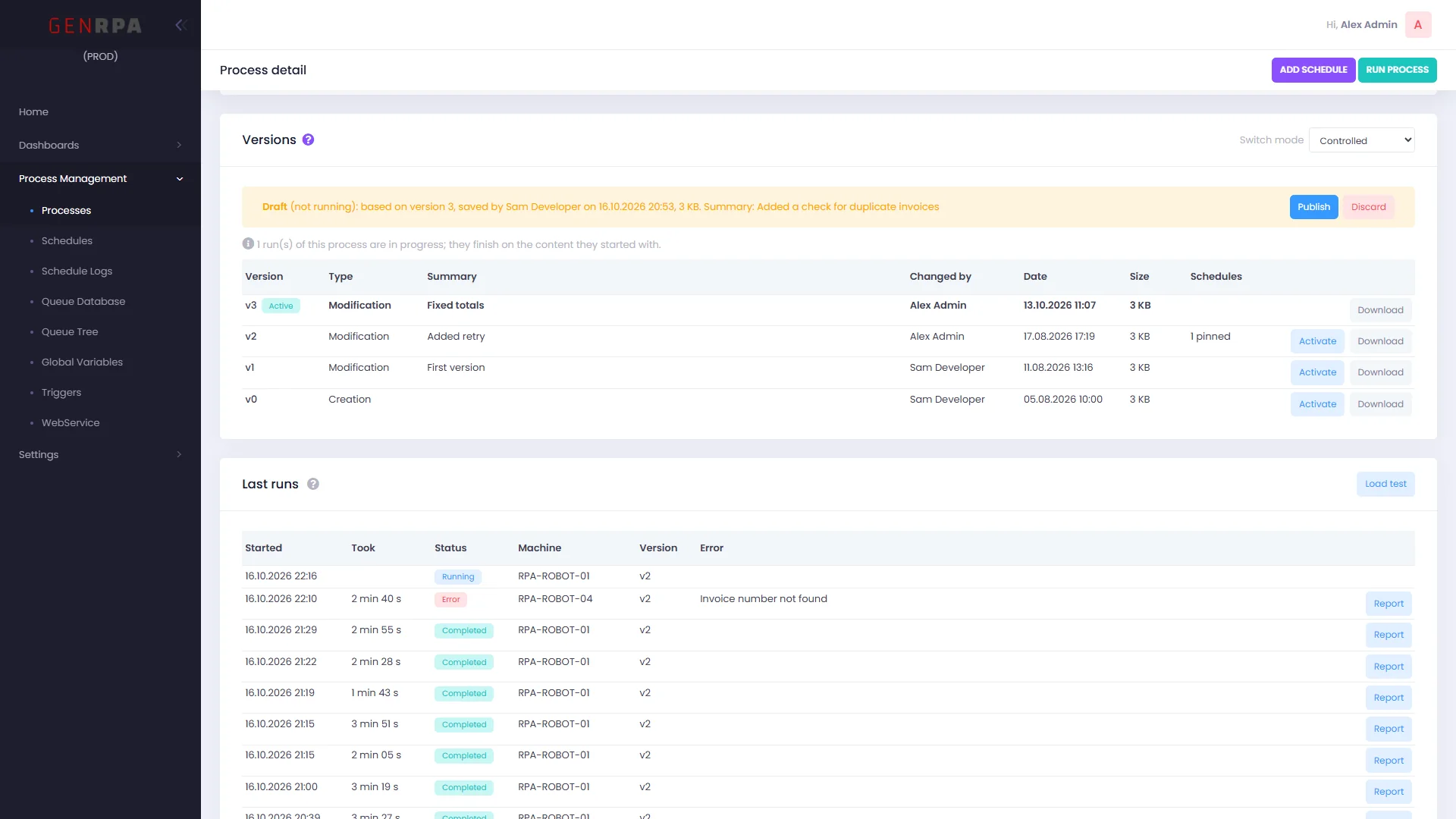
  • Controlled mode: only users with the publish permission take a version live
  • Pin a schedule to a tested version while development goes on
  • See the last runs with their reports, and load test a process on the robots you choose
Process detail in GenControlRoom: the Versions card in Controlled mode with a draft waiting to be published, and the last runs
GenControlRoom

A daily dashboard for your digital workforce

The home page opens with today's runs, success rate, failed runs, queue items and robots online, followed by the last seven days.

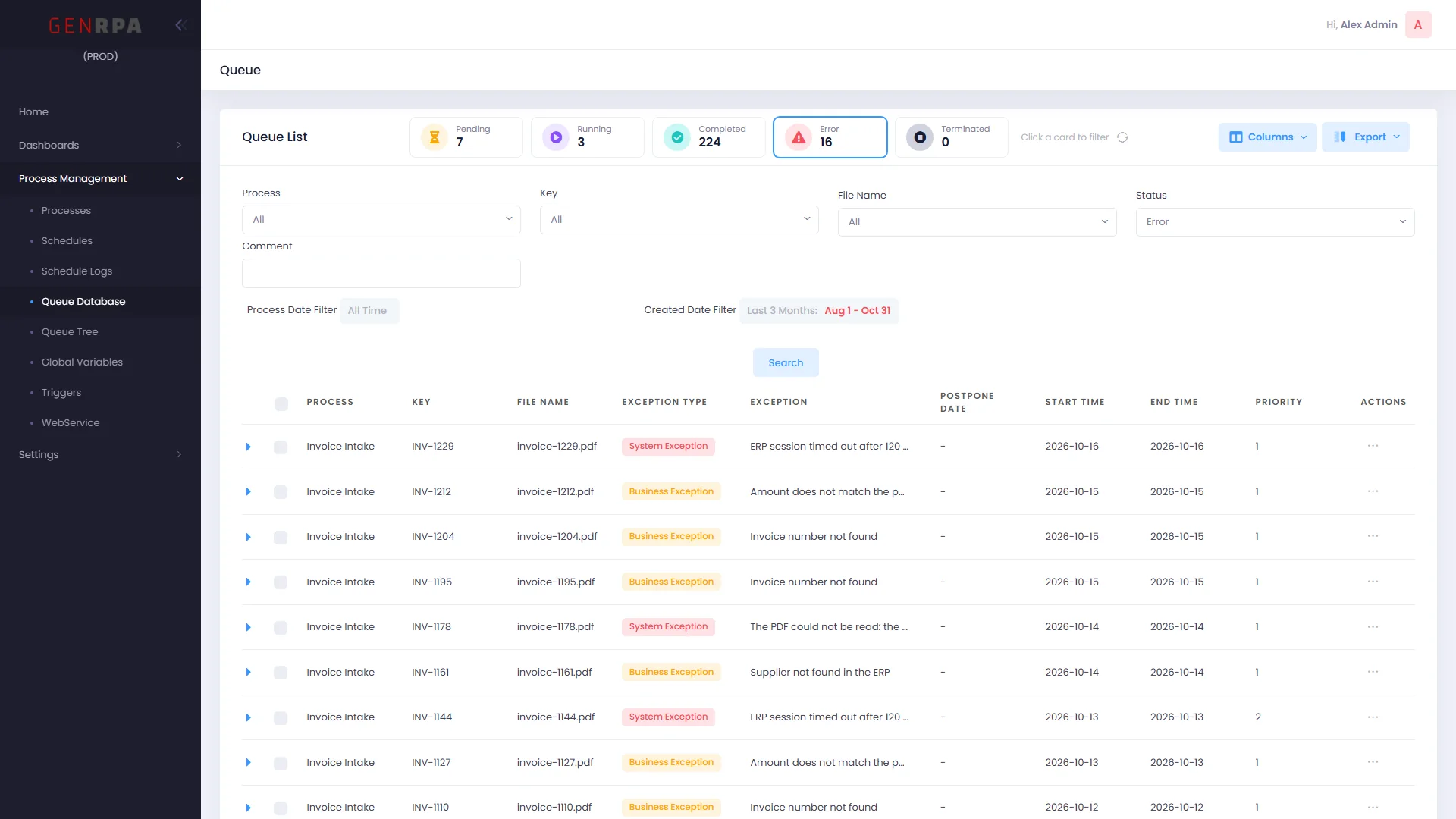
  • Queue: status cards, combined filters, a column chooser and PDF export
  • Open, edit or delete a queue item without leaving the list
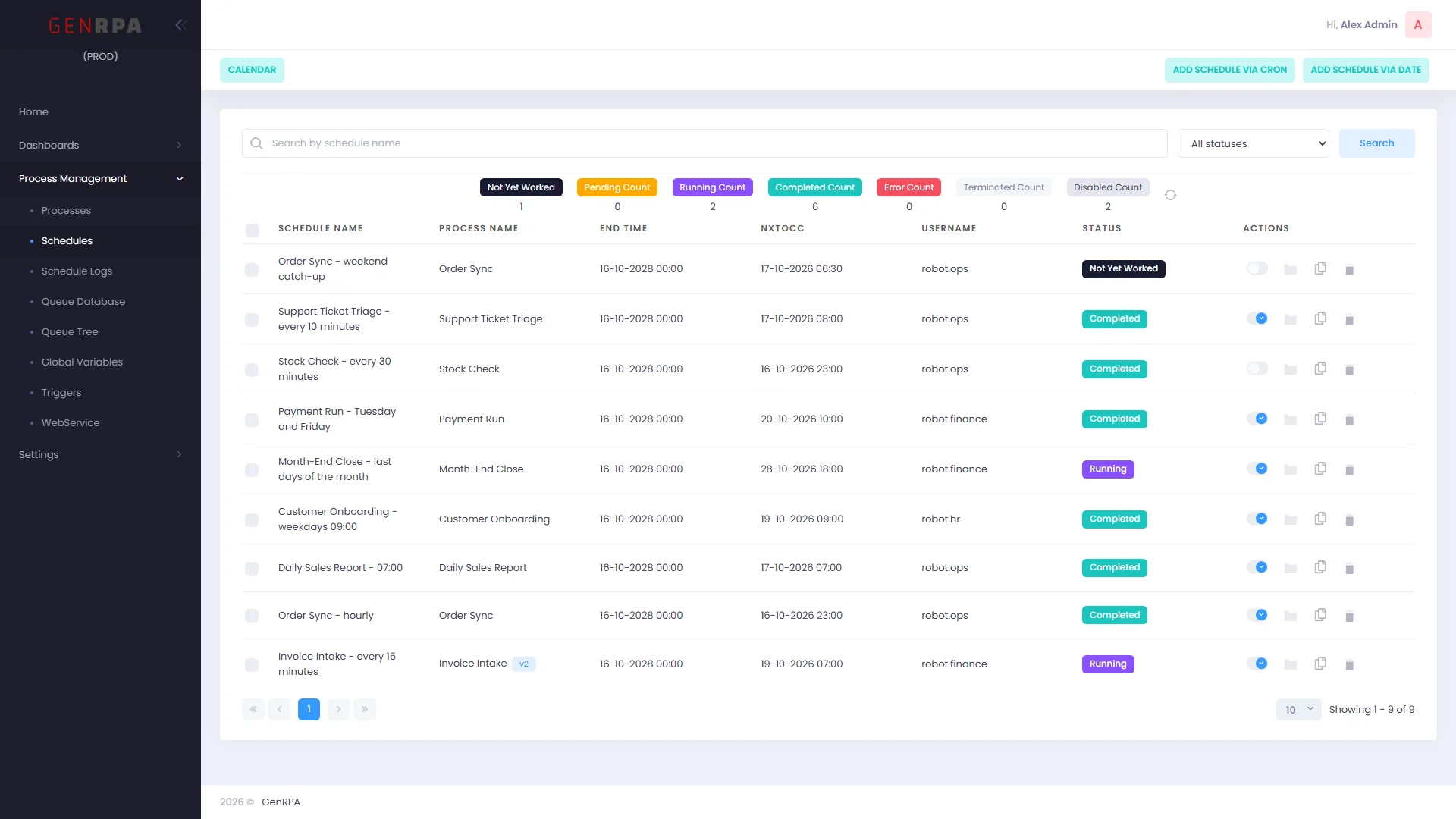
  • Duplicate schedules, switch triggers on and off, see why a trigger is idle
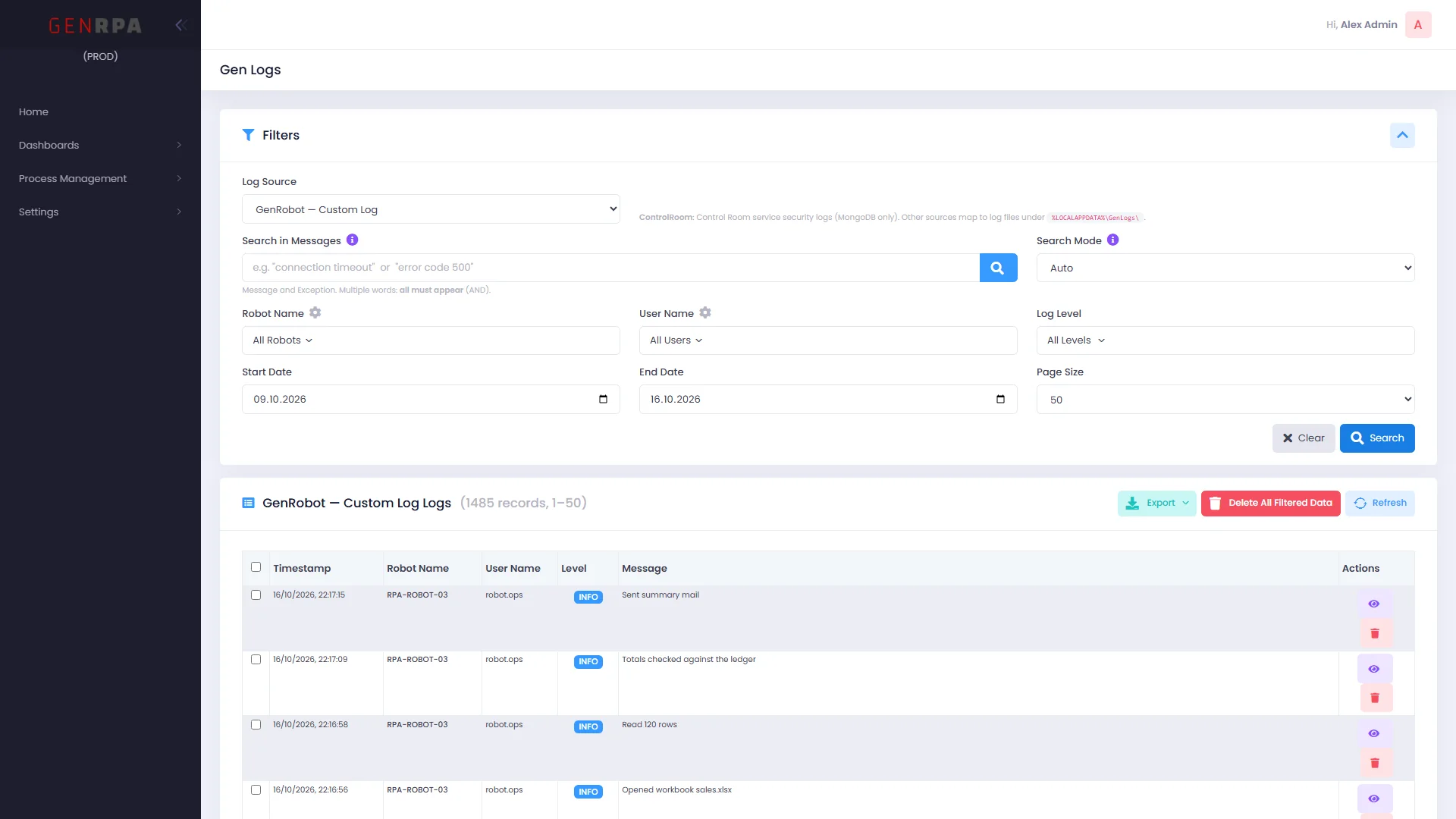
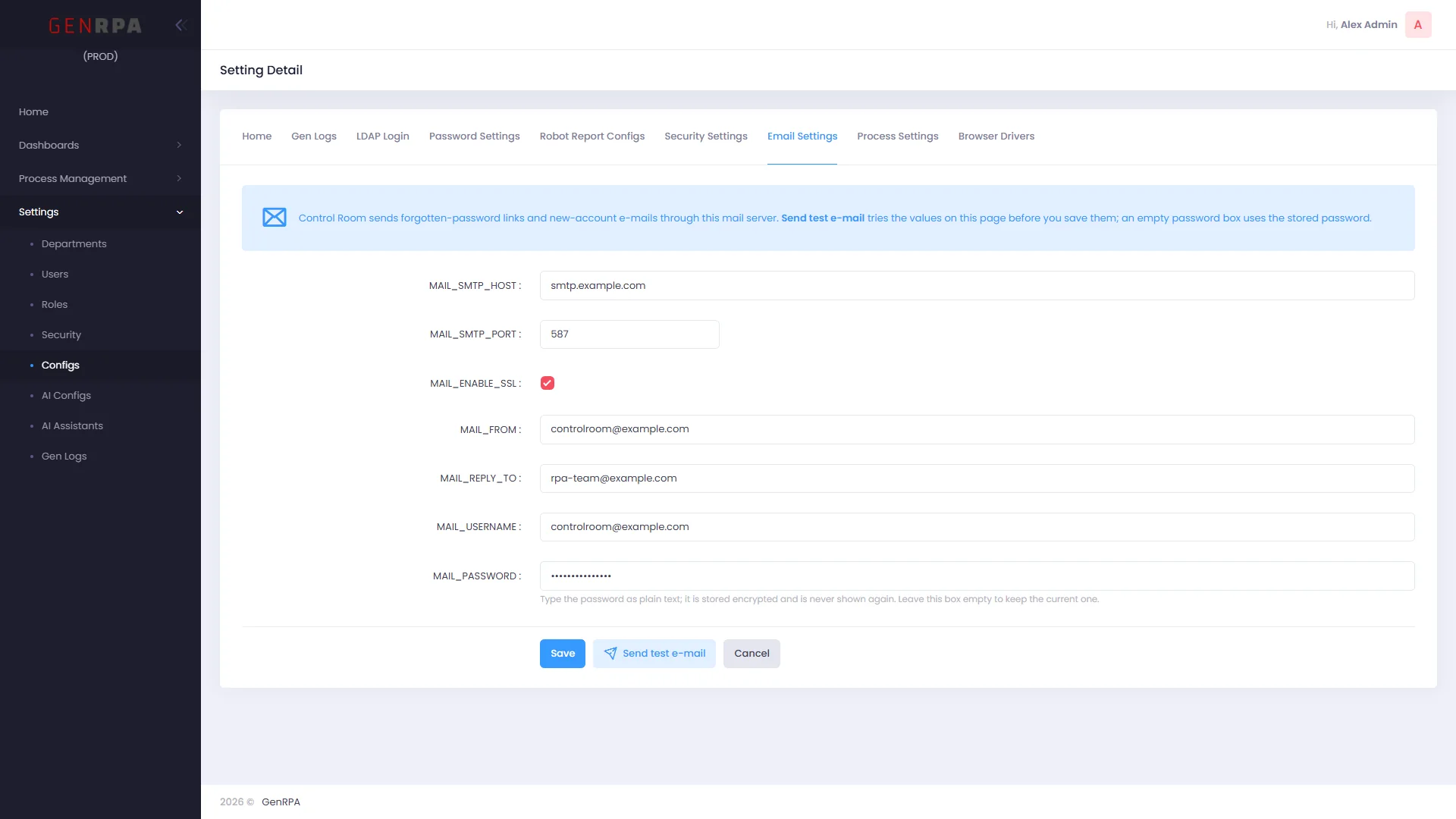
  • Users, roles, AI configurations and logs, managed in one place
GenControlRoom home page with the daily KPI band and the charts of the last seven days
GenBot and Scheduler

Every robot's status at a glance

GenBot and the Scheduler report their status every 30 seconds. GenControlRoom shows which robots are running, idle, in error or offline, what each one is running and when it last answered.
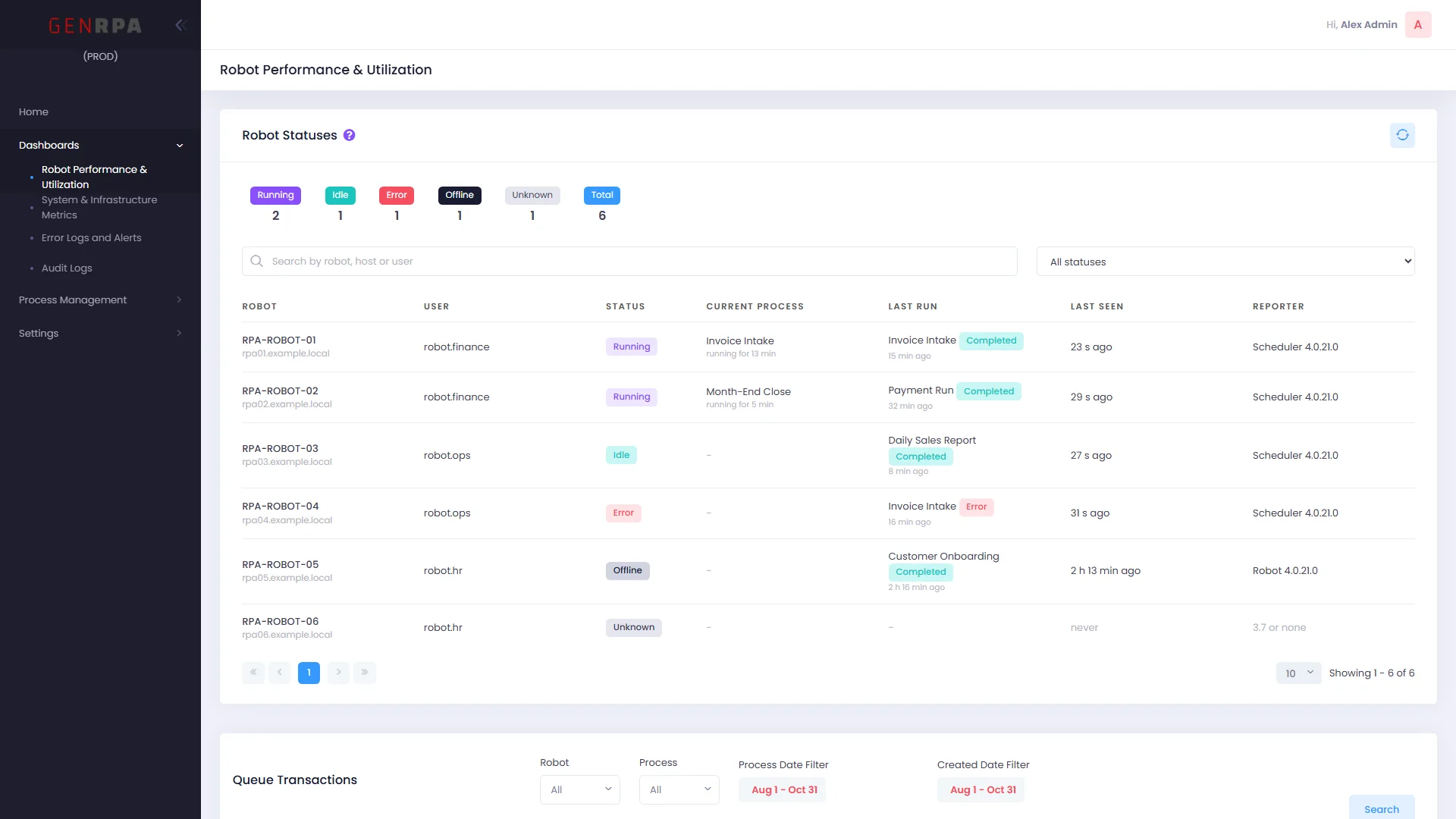
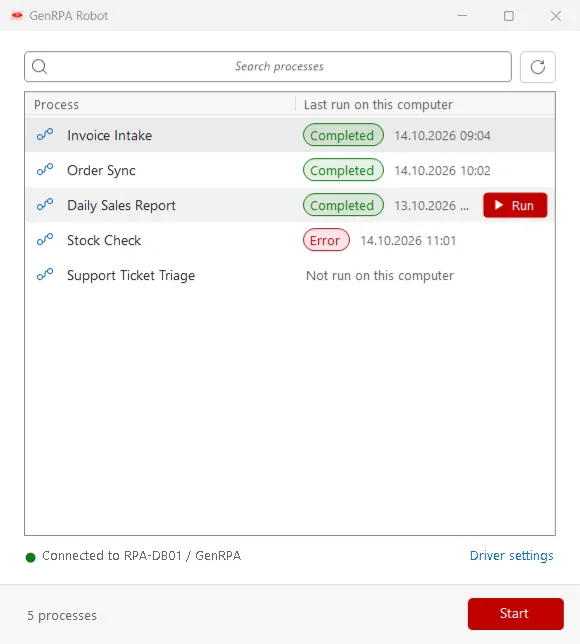
  • No extra ports or services: the status goes through the GenRPA database
  • A new GenBot window for attended runs: pick a process and start it
  • Chrome and Edge drivers can follow browser updates by themselves
The Robot Statuses card in GenControlRoom with running, idle, error, offline and unknown robots
The new GenBot window with a searchable process list and a Start button
Installation

GenRPA Setup: install, update and repair in one wizard

One small program sets up a developer PC, a robot machine or a whole GenControlRoom server. It checks the computer, takes only what is missing and verifies every file against a signed list.
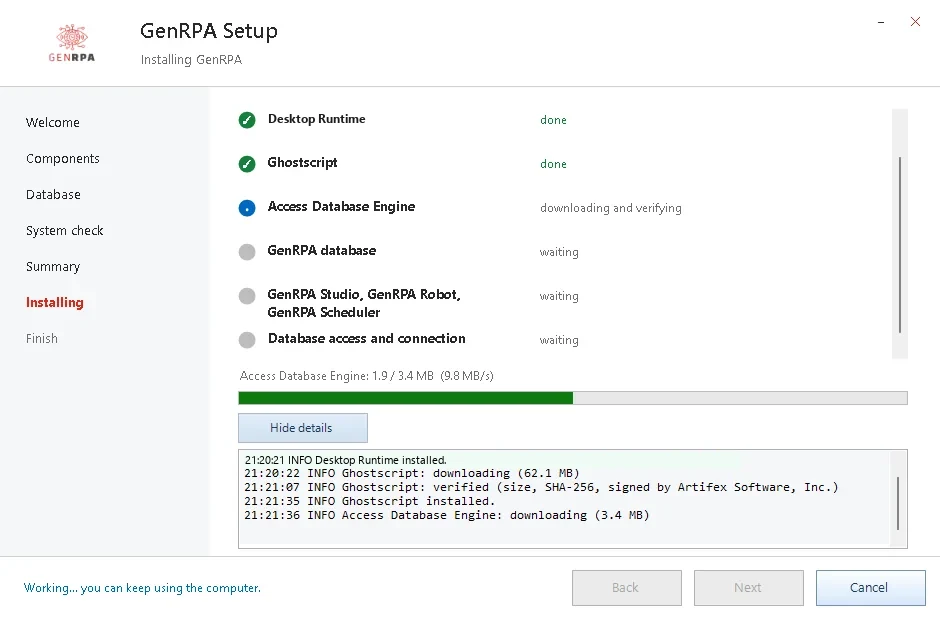
  • Backs up before it changes anything and brings the database up to date
  • Works in closed networks with an offline bundle
  • Repairs or removes parts later, and can go back to GenRPA 3.7
GenRPA Setup installing the runtime, Ghostscript and the GenRPA components step by step
Modules

One platform, three components

Design, run and manage your whole digital workforce, from rule-based bots to AI agents.

GenStudio

Design bots and AI agents

The design environment where you teach your digital workforce how to work: drag-and-drop flows, a large activity library and AI steps, checked before anything goes live.

What you can automate
  • Excel, Word, PowerPoint, PDF and CSV files
  • E-mail: read, filter and send automatically
  • Web and desktop applications, including Java and Delphi programs
  • Data from scanned or digital documents with OCR
  • Invoices, licenses, tax certificates and other paperwork
  • Database reads and writes, REST and SOAP services
  • LLM steps and MCP integration inside your flows

GenControlRoom

Monitor, measure and manage

The web-based control center for your bots and AI agents: what ran, what failed, which robots are up, and who may change what.

With GenControlRoom you can
  • Follow the day on a KPI band, with seven-day trends
  • Manage queues, schedules, triggers and logs
  • Publish process versions under control
  • Manage users, roles, departments and security settings
  • Set up AI configurations and assistants centrally

GenBot

Runs the work, attended or unattended

GenBot is the robot that runs your processes. Together with the Scheduler it keeps your digital workforce on time, attended or unattended, day and night.

What sets GenBot apart
  • Attended runs from the new GenBot window
  • Unattended runs without a Remote Desktop session
  • Runs rule-based bots and LLM-powered agents alike
  • Reports its status to GenControlRoom every 30 seconds
  • Waits for the database after a restart and goes on by itself
Screenshots

See GenRPA v4 up close

Upgrade with Confidence

Move to v4 at your own pace

GenRPA v4 was built to sit next to GenRPA 3.7, so you can update one team or one robot at a time.

One Database

GenRPA 3.7 and v4 sign in to the same database while you move.

Works Both Ways

A process saved in v4 opens and runs in GenRPA 3.7.

A Way Back

GenRPA Setup backs up first and can take a computer back to 3.7.

Build your digital workforce with GenRPA v4

See GenStudio, UI Explorer and GenControlRoom working on one of your own processes.

Request a Free Demo