NEW GenRPA v4 is here! A new GenStudio, UI Explorer, process versions and more. See what's new
Demos & Videos

Take the GenRPA v4 tour

See GenRPA v4 screen by screen: design in GenStudio, reach any application with UI Explorer, check quality before go-live, run with GenBot and manage everything in GenControlRoom.
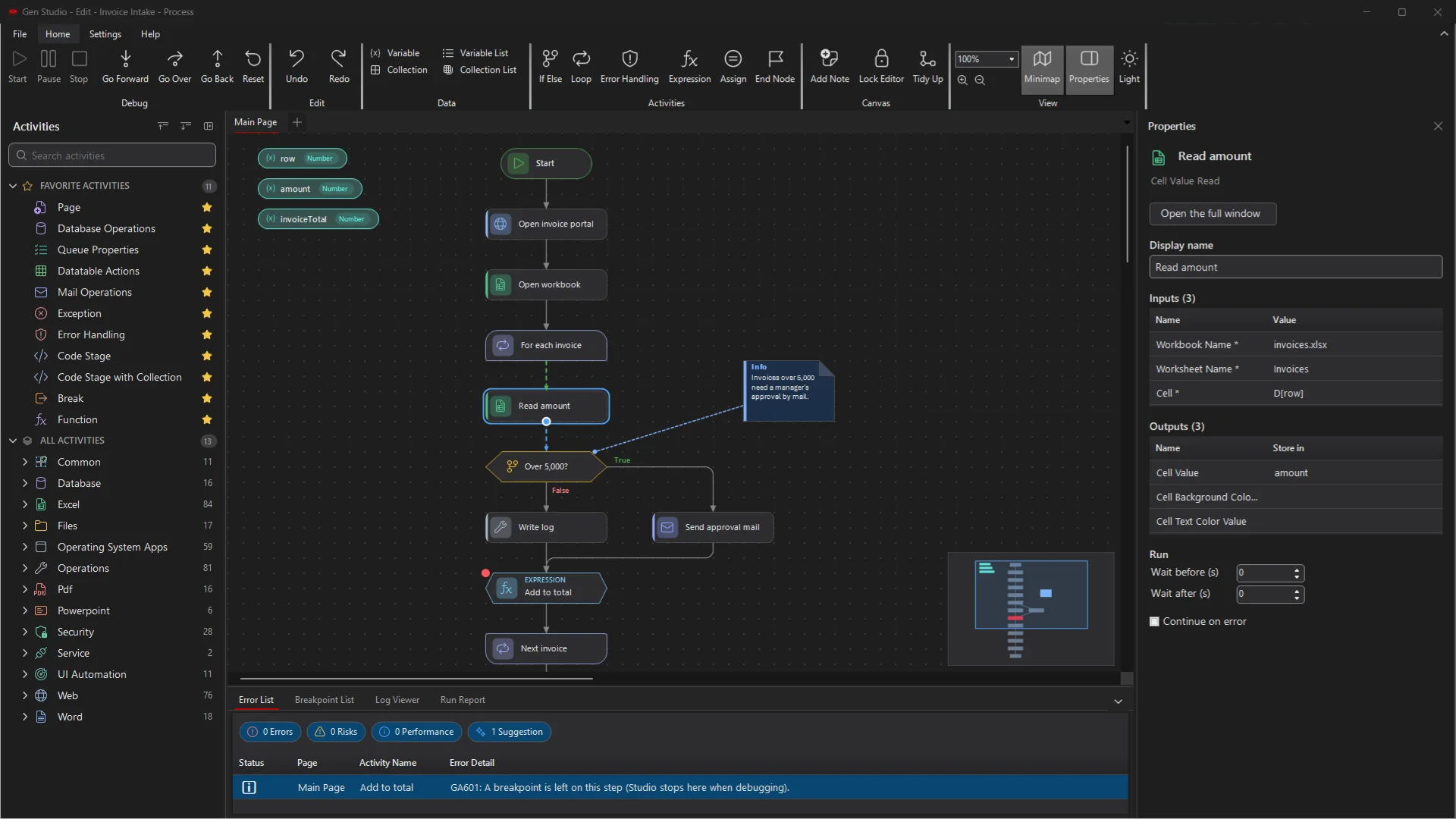
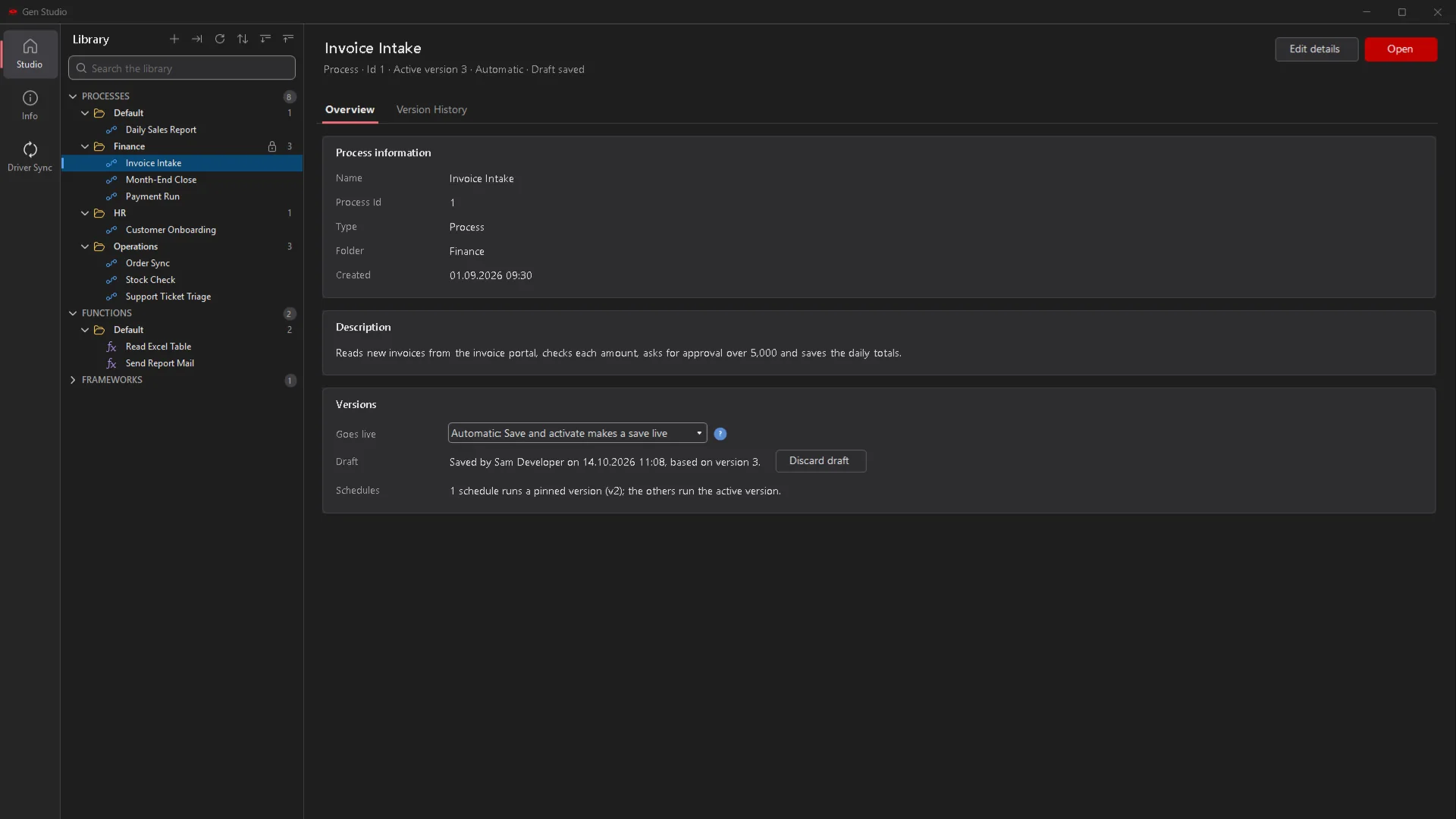
GenStudio 4 in the dark theme with an invoice process on the canvas and the Properties panel
01 · GenStudio

Design processes on a clean, modern canvas

GenStudio is where you build automations: draw the steps, set their inputs in the Properties panel and keep even large processes easy to read.

Click any picture to view it larger.
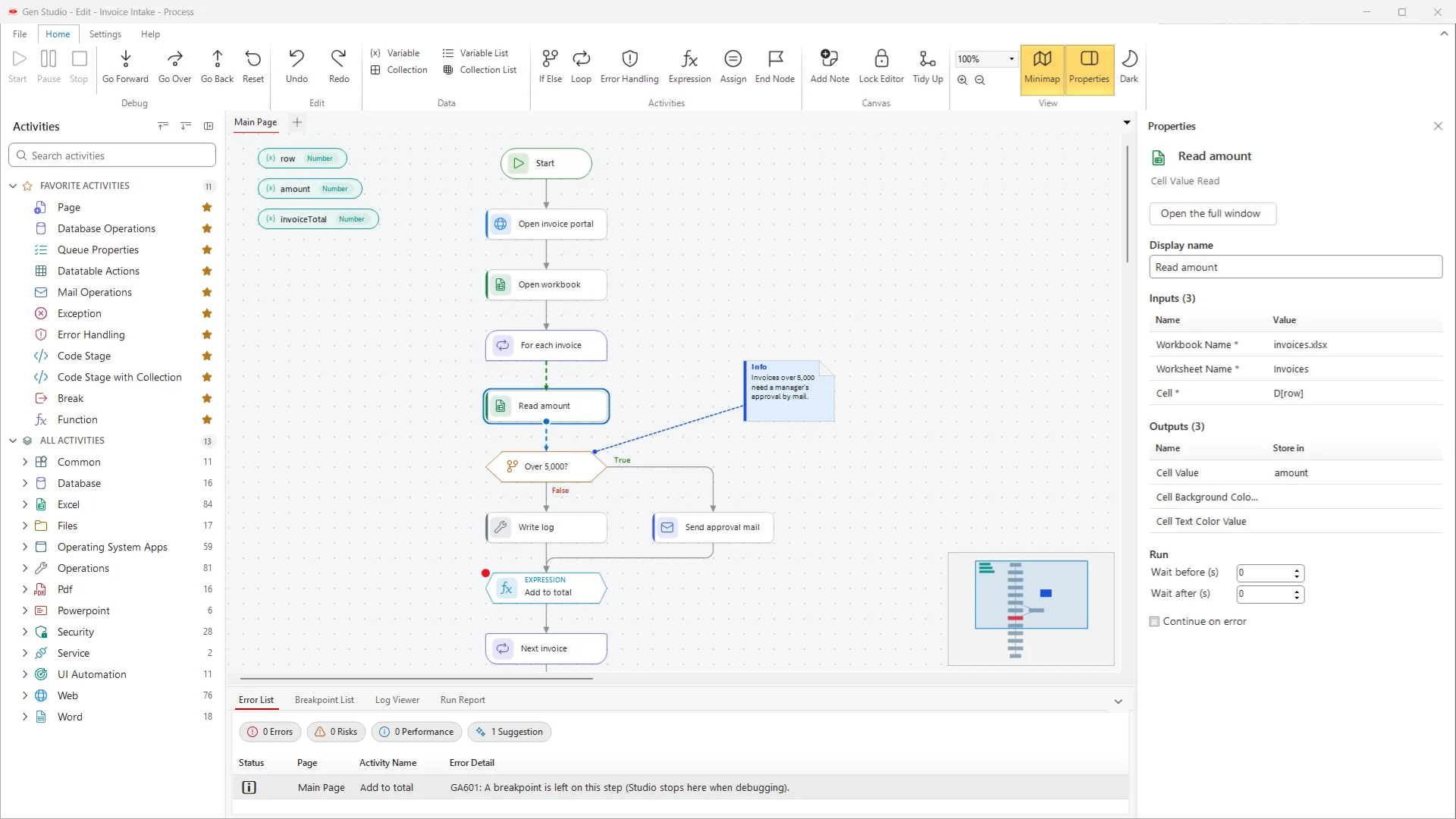
GenStudio designer with the activity panel, an invoice process on the canvas, the Properties panel and the Error List
The designerActivities on the left, the process in the middle, the selected step's settings on the right and the Error List below.
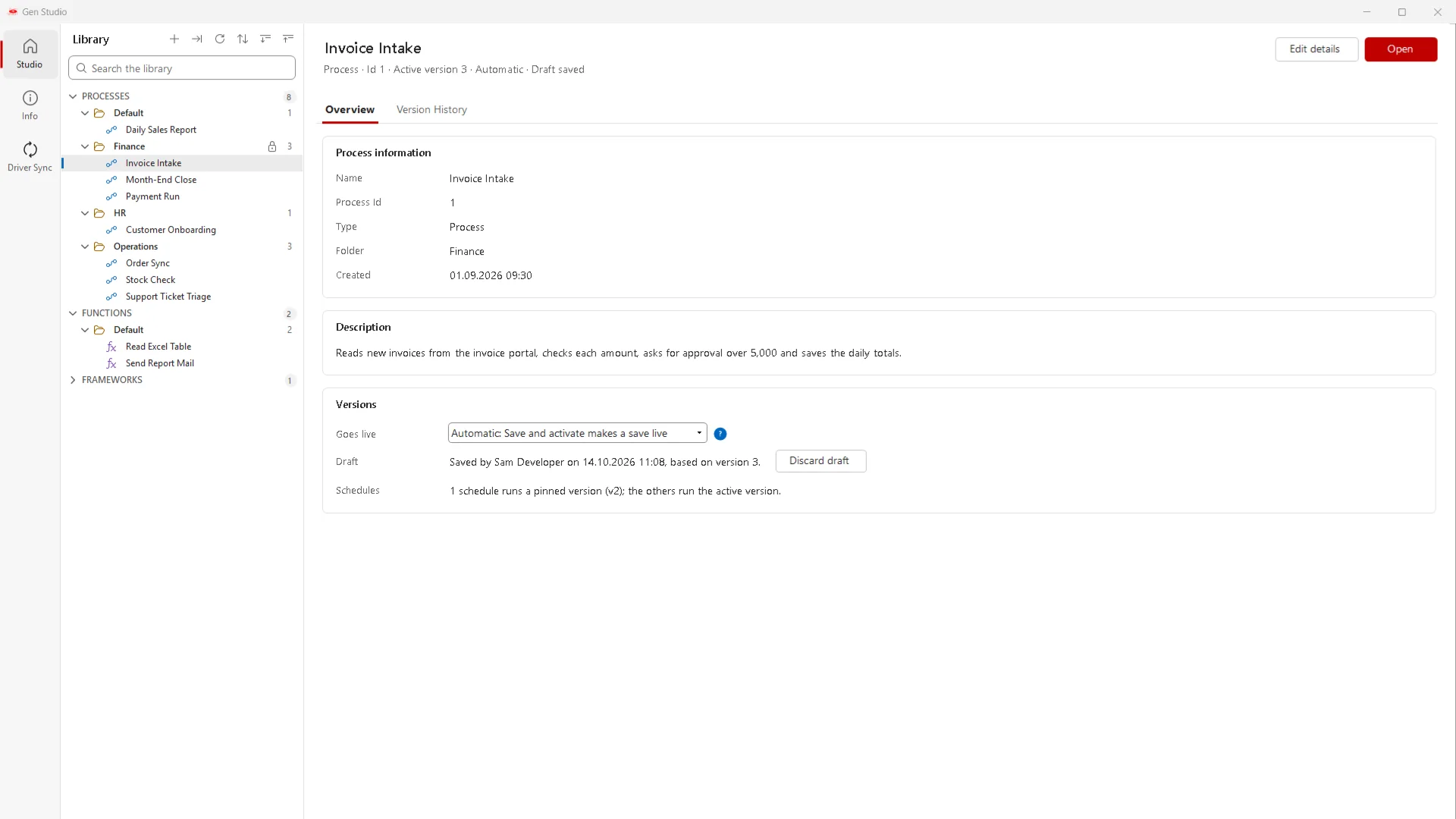
GenStudio start screen with the process library and the overview of a process
Start screenProcesses, functions and frameworks in one searchable library, with the versions and draft status of each process.
GenStudio start screen in the dark theme
Light or darkEvery screen also comes in a dark theme for long design sessions.
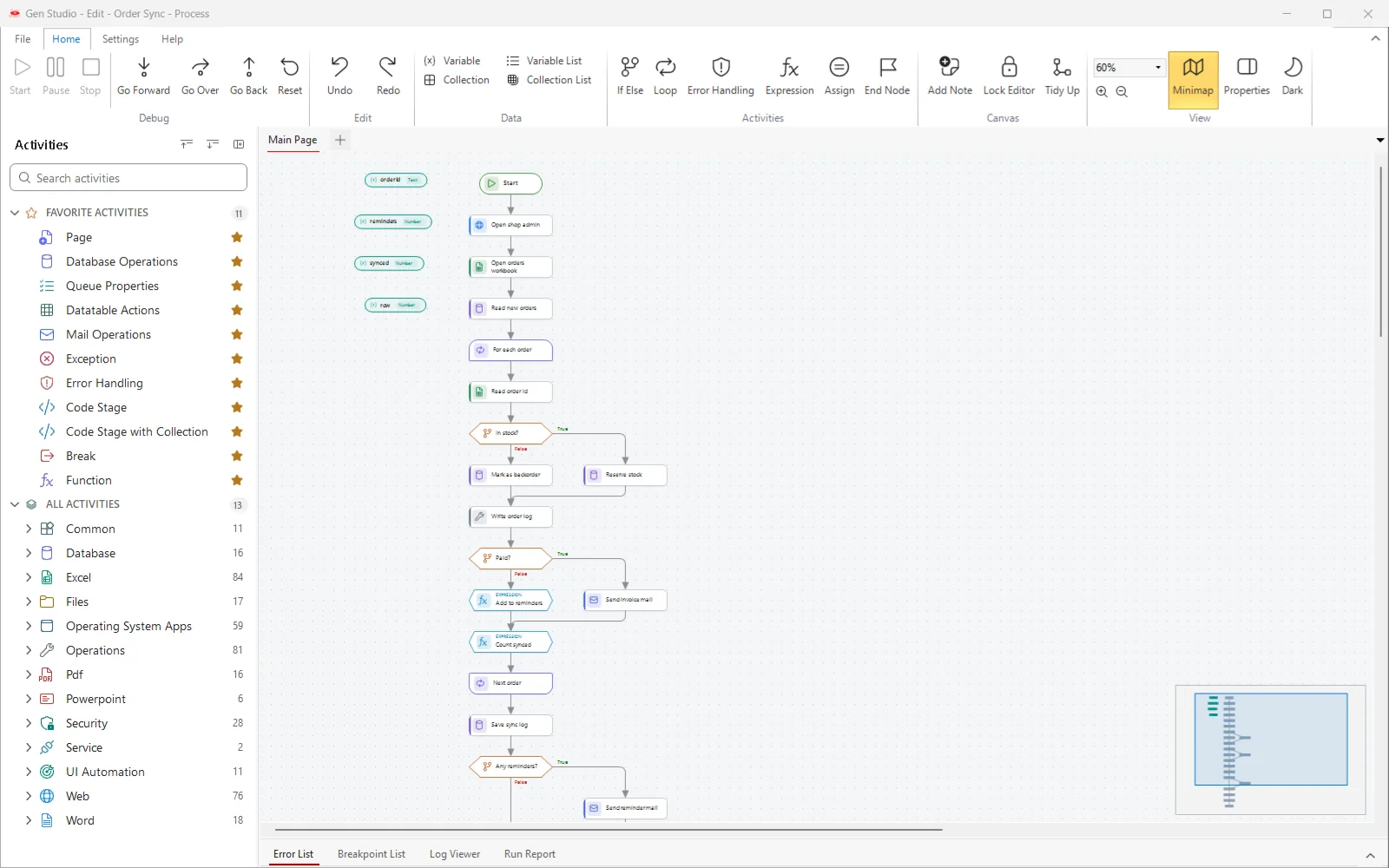
A long process arranged by Tidy Up, with the minimap in the corner
Tidy Up and minimapOne click arranges a crowded page; the minimap shows the whole process and where you are.
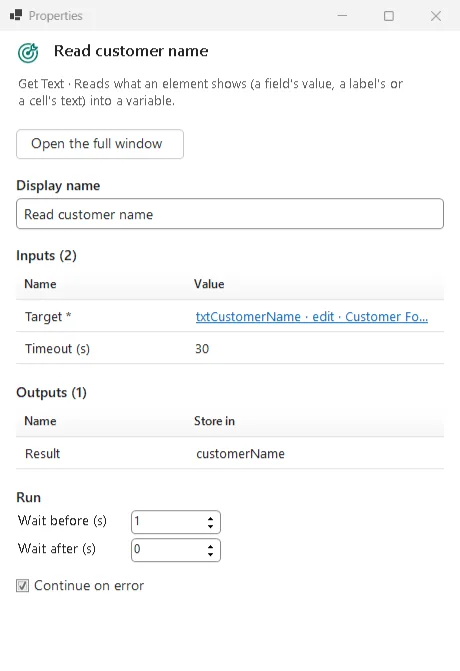
The Properties panel of a Get Text step with its target, timeout, output and run settings
Properties panelInputs, outputs, waits and Continue on error for the selected step, without leaving the canvas.
02 · UI Explorer

Reach any application

Point at a button or a field in a Windows application, a Java or Delphi program or a web page. GenRPA builds a target you can see, edit and test.
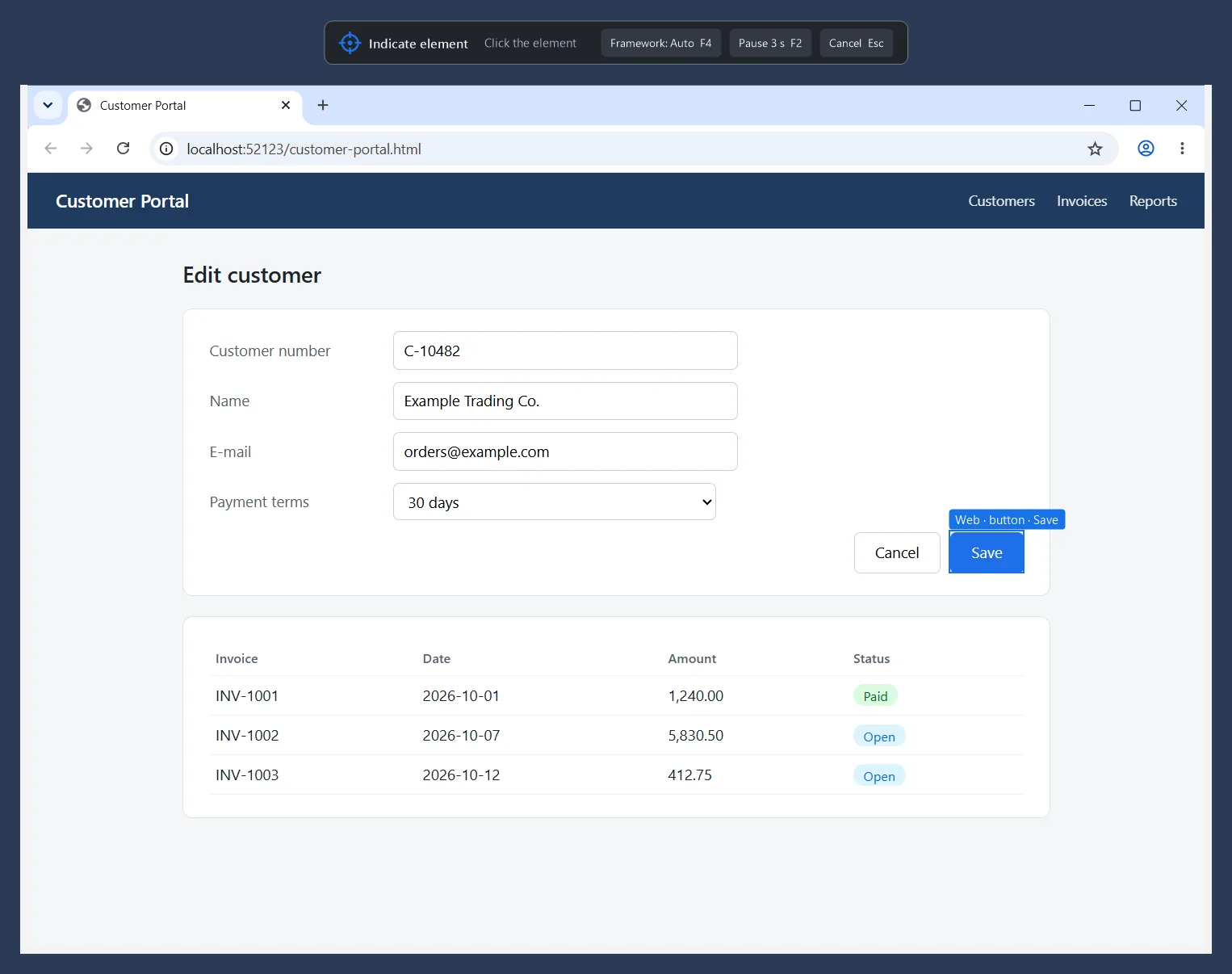
Indicating the Save button of a web page: the element is framed and named
Indicate elementGenRPA frames the element under the mouse and tells you what it found.
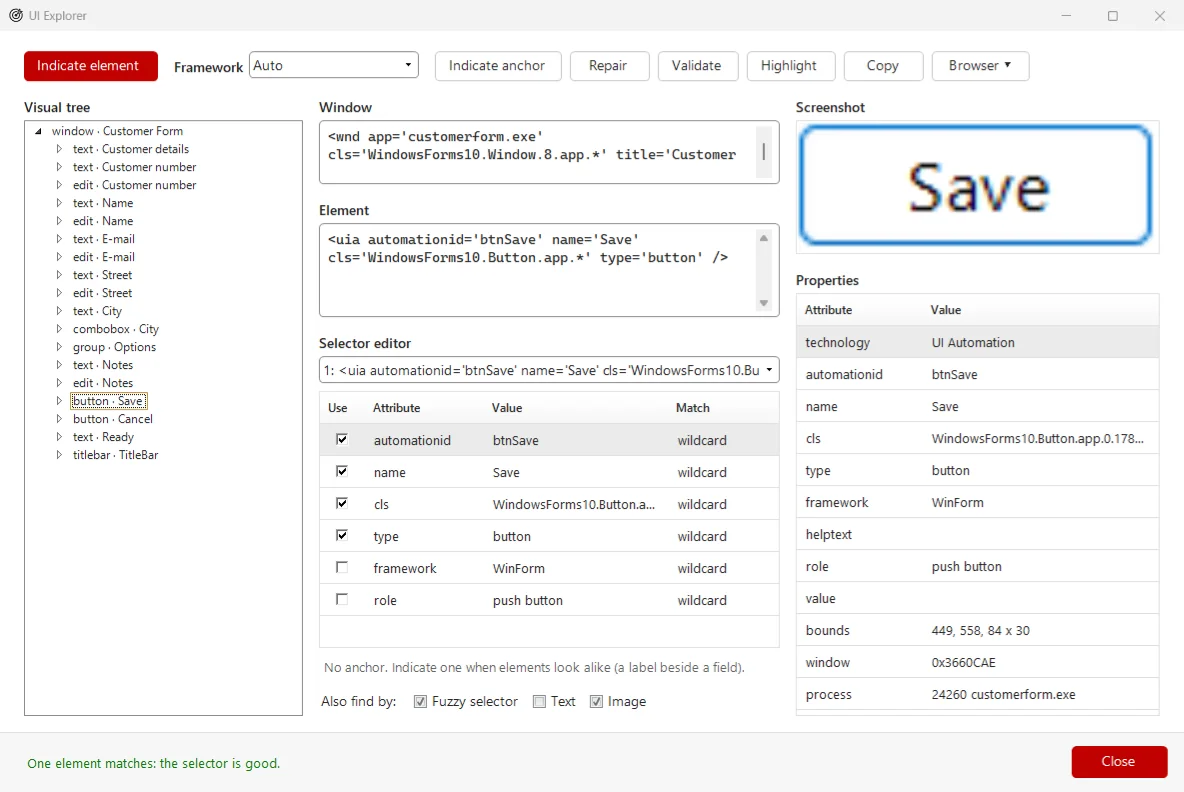
UI Explorer with the element tree, the selector editor and the properties of a picked button
UI ExplorerThe element tree, an editable selector and a green check when exactly one element matches.
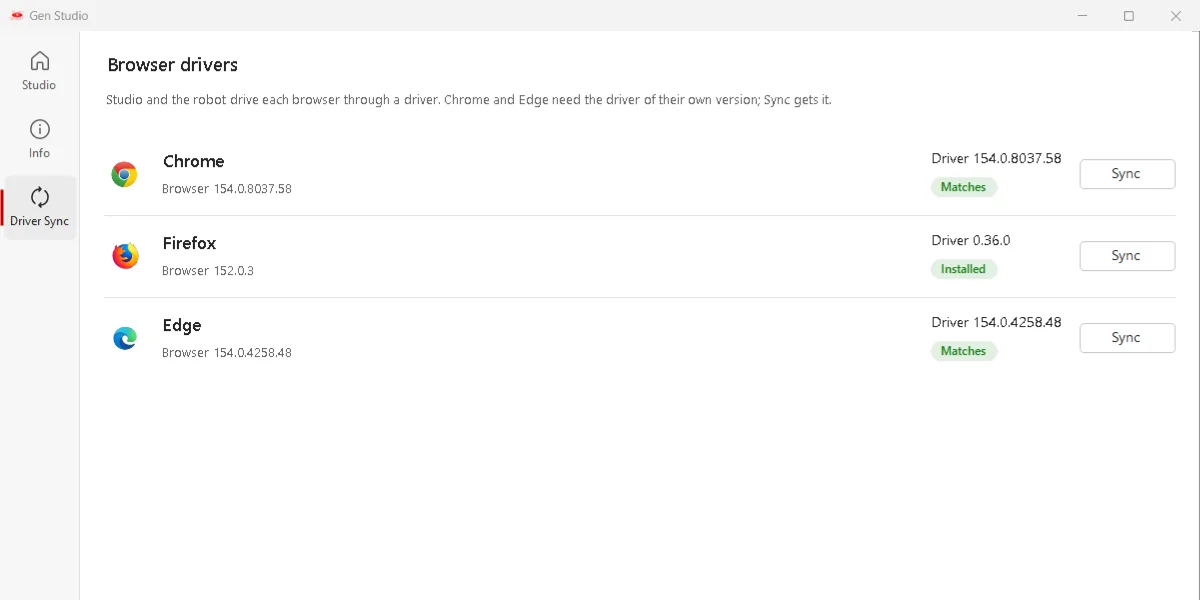
The Driver Sync page with the installed browsers and their matching drivers
Driver SyncDrivers that match the installed Chrome and Edge, so an automatic browser update does not stop your robots.
03 · Quality

Catch problems before go-live

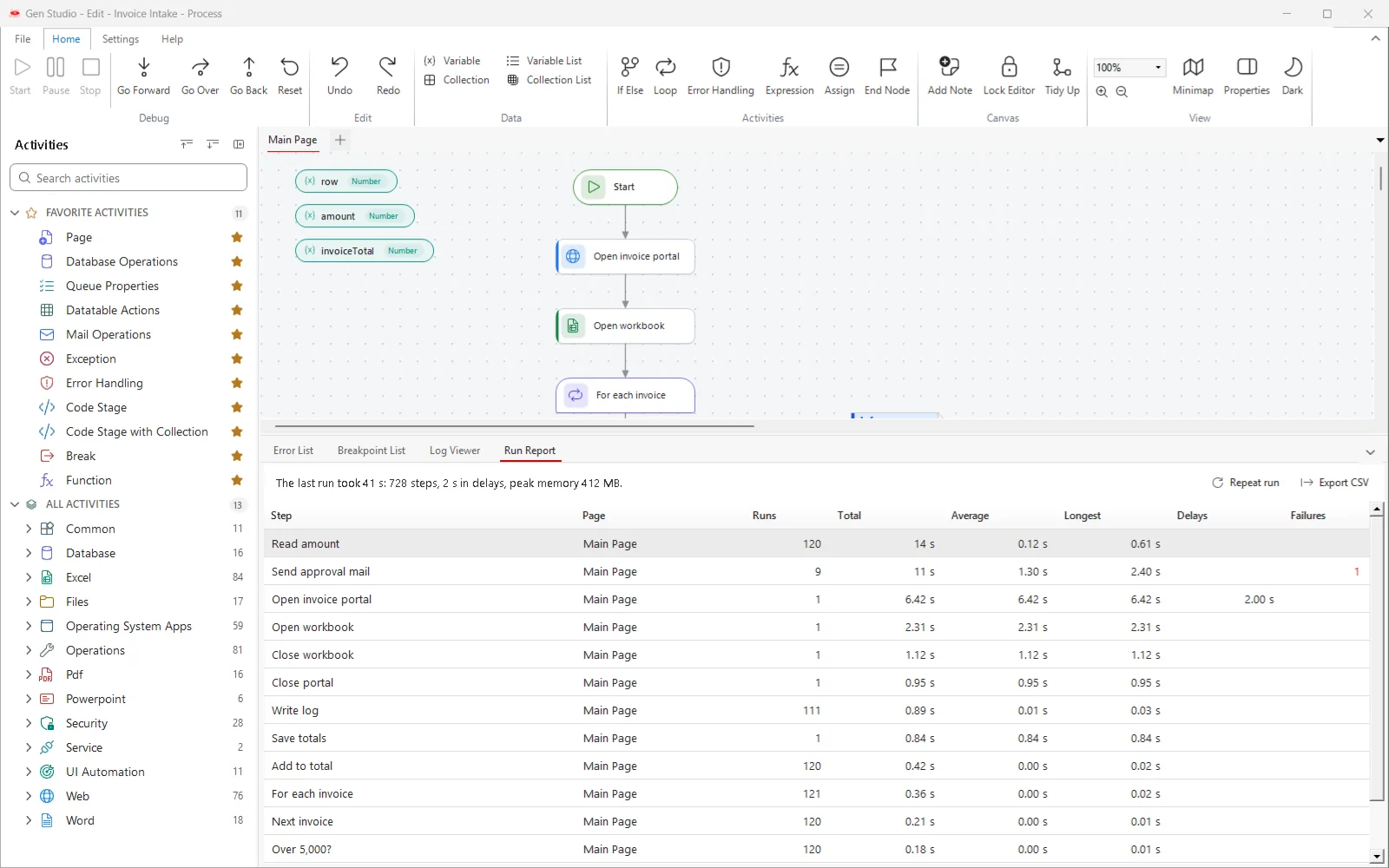
Process Analyzer checks the design, the Run Report shows where the time goes, and versions keep production safe while you work.
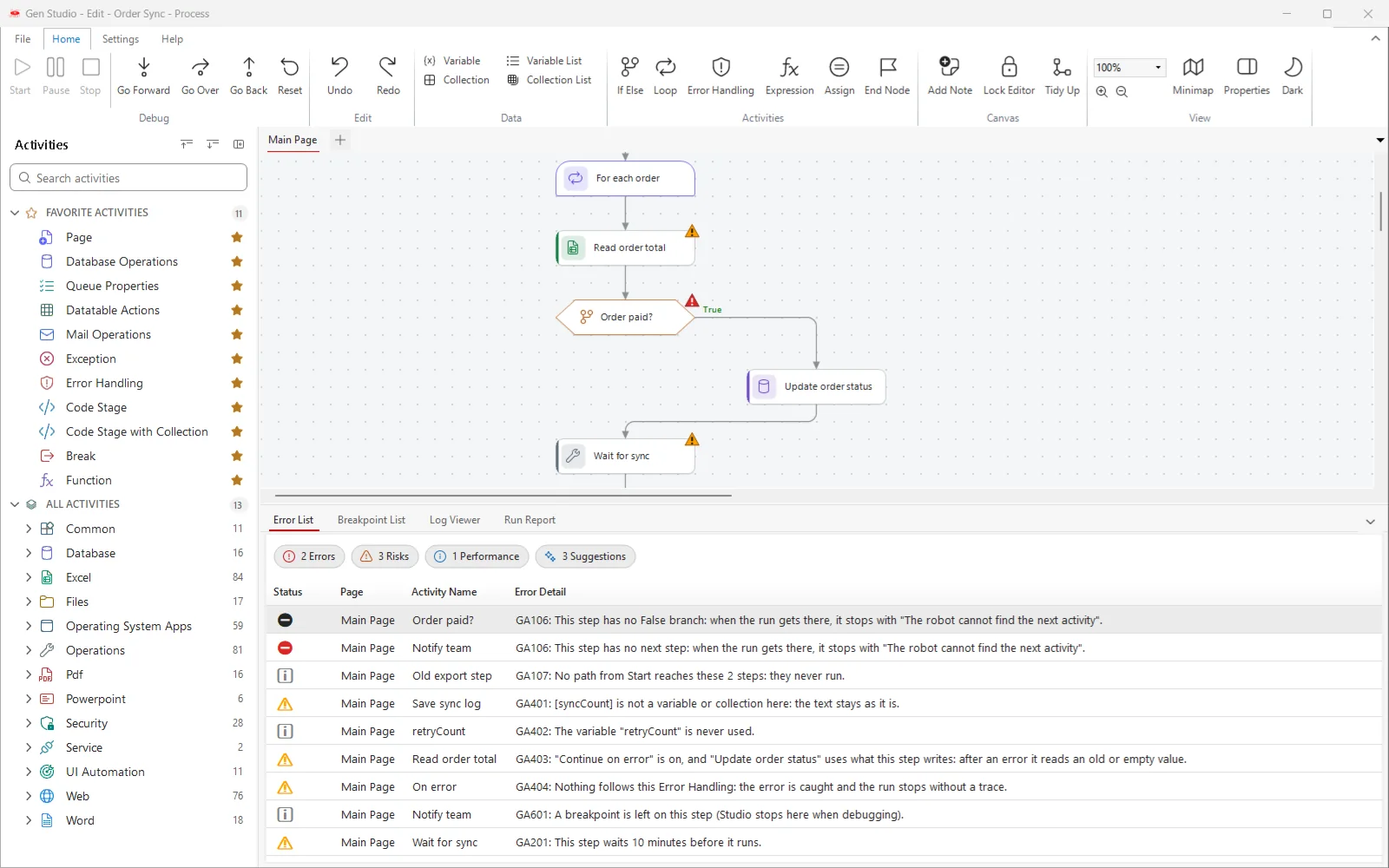
The Error List with errors, risks, performance findings and suggestions, and warning marks on the canvas
Process AnalyzerDesign rules grouped as Error, Risk, Performance and Suggestion, with the step marked on the canvas.
The Run Report with the runs, total and longest time of each step
Run ReportThe slowest and most repeated steps of the last run. Repeat run charts time and memory over many runs.
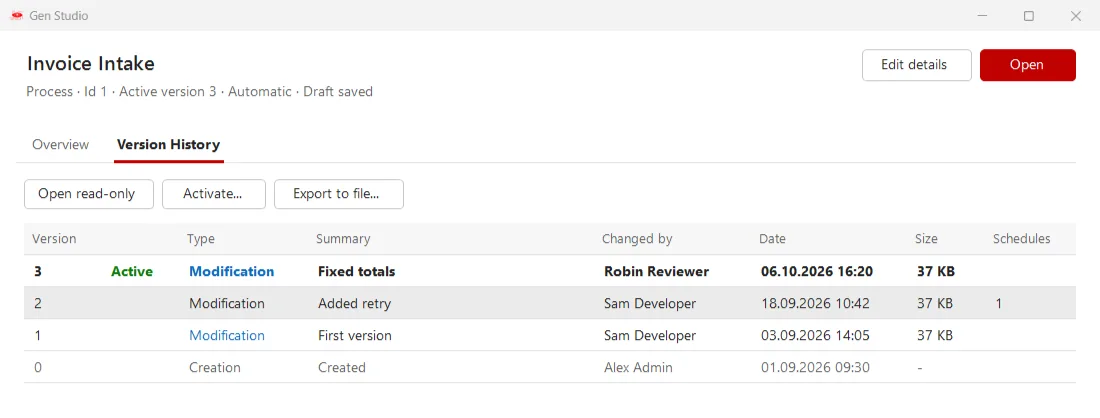
Version history of a process in GenStudio with the active version, summaries and authors
Versions and draftsEvery version with its summary and author. Open one read-only or make it active again.
04 · GenBot

Run attended or unattended

GenBot runs your processes on a user's desktop or on robot machines, and every robot reports its status to GenControlRoom.
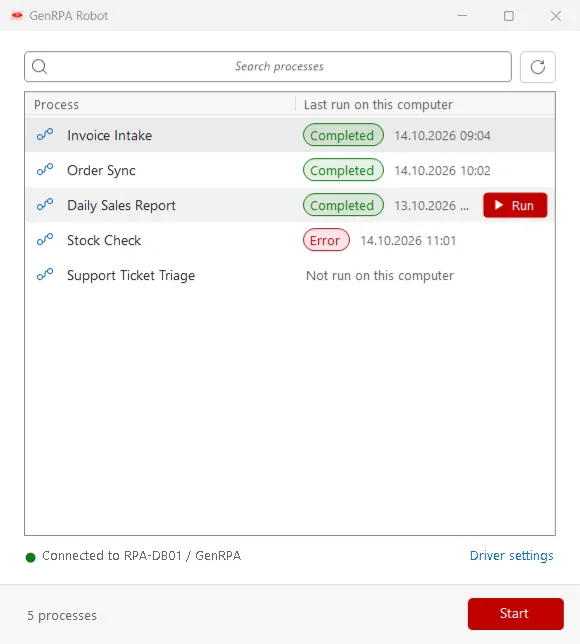
The GenBot window with a searchable process list, the last run of each process and a Start button
The GenBot windowSearch the process list, see the last run on this computer and start a process with one click.
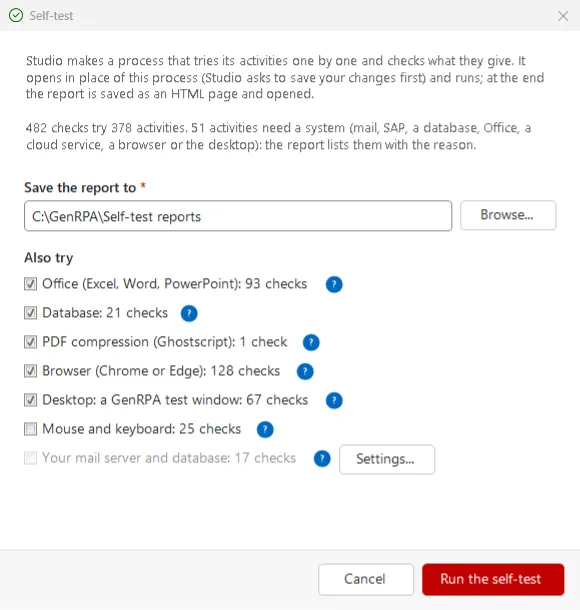
The Self-test window with the Office, database, PDF, browser and desktop checks to run
Self-testTries GenStudio's activities on this computer and saves a pass or fail report.
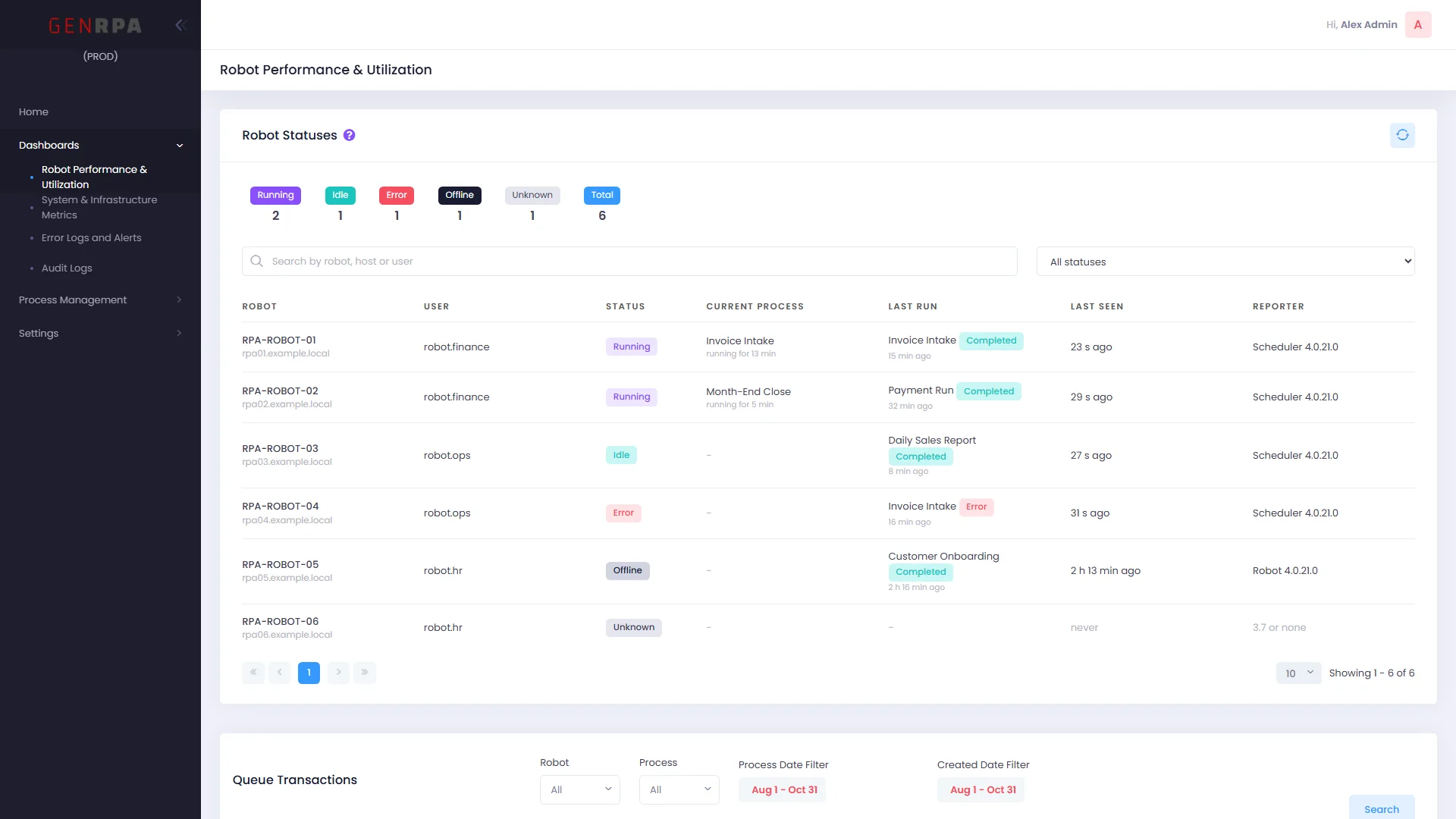
Robot Statuses card in GenControlRoom with each robot's status, current process, last run and last seen time
Robot statusRunning, idle, in error or offline: every robot with its current process, last run and when it last answered.
05 · GenControlRoom

Manage your digital workforce in one place

GenControlRoom is the web console for daily operations: numbers, queues, processes, schedules, triggers, logs and settings.

GenControlRoom home page with the daily KPI band and the charts of the last seven days
HomeToday's runs, success rate, failed runs, queue items and robots, plus the last seven days.
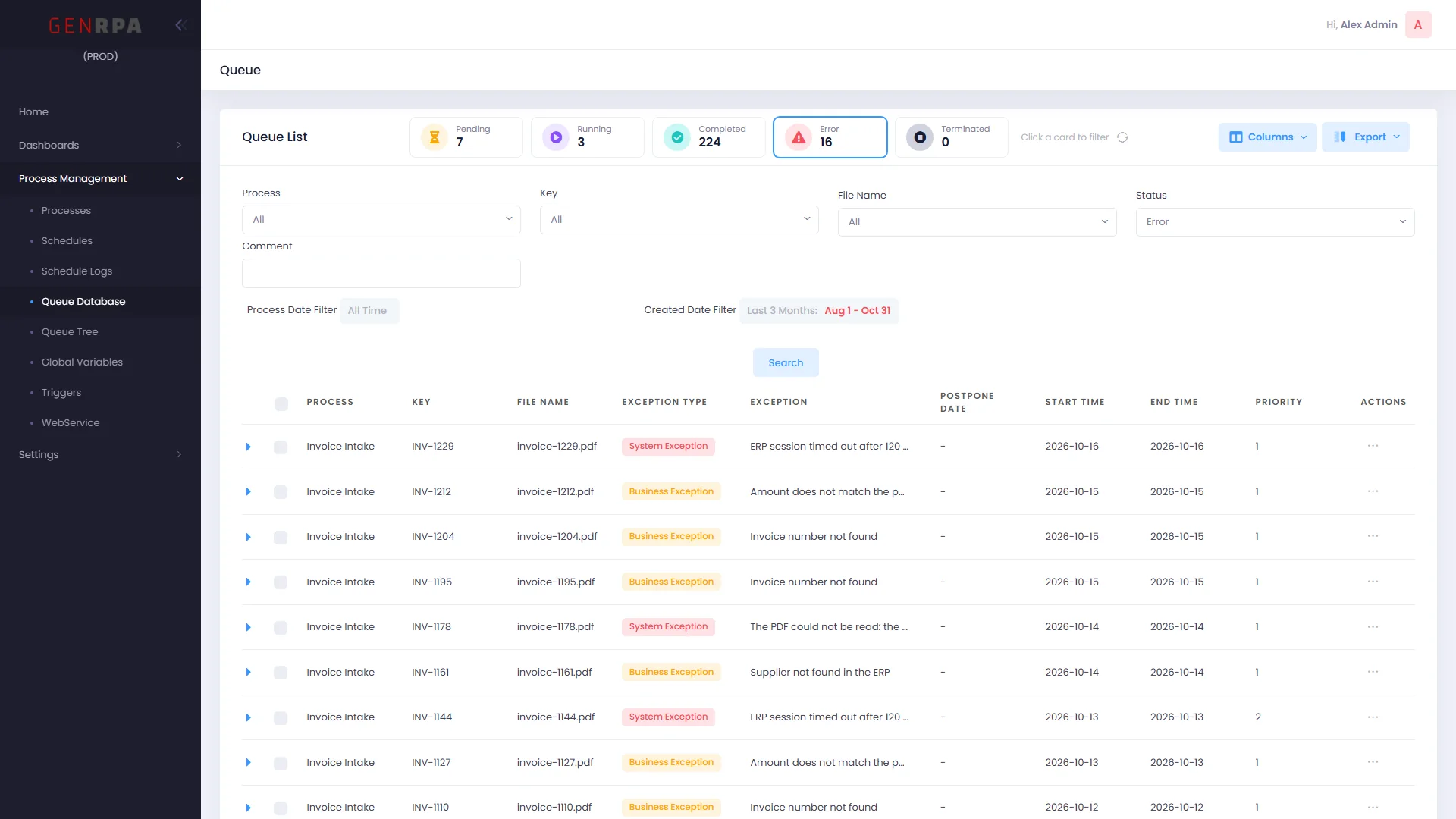
The Queue page with status cards, filters, columns and export
QueueStatus cards that filter, combined filters, a column chooser and PDF export. Open and fix an item from the list.
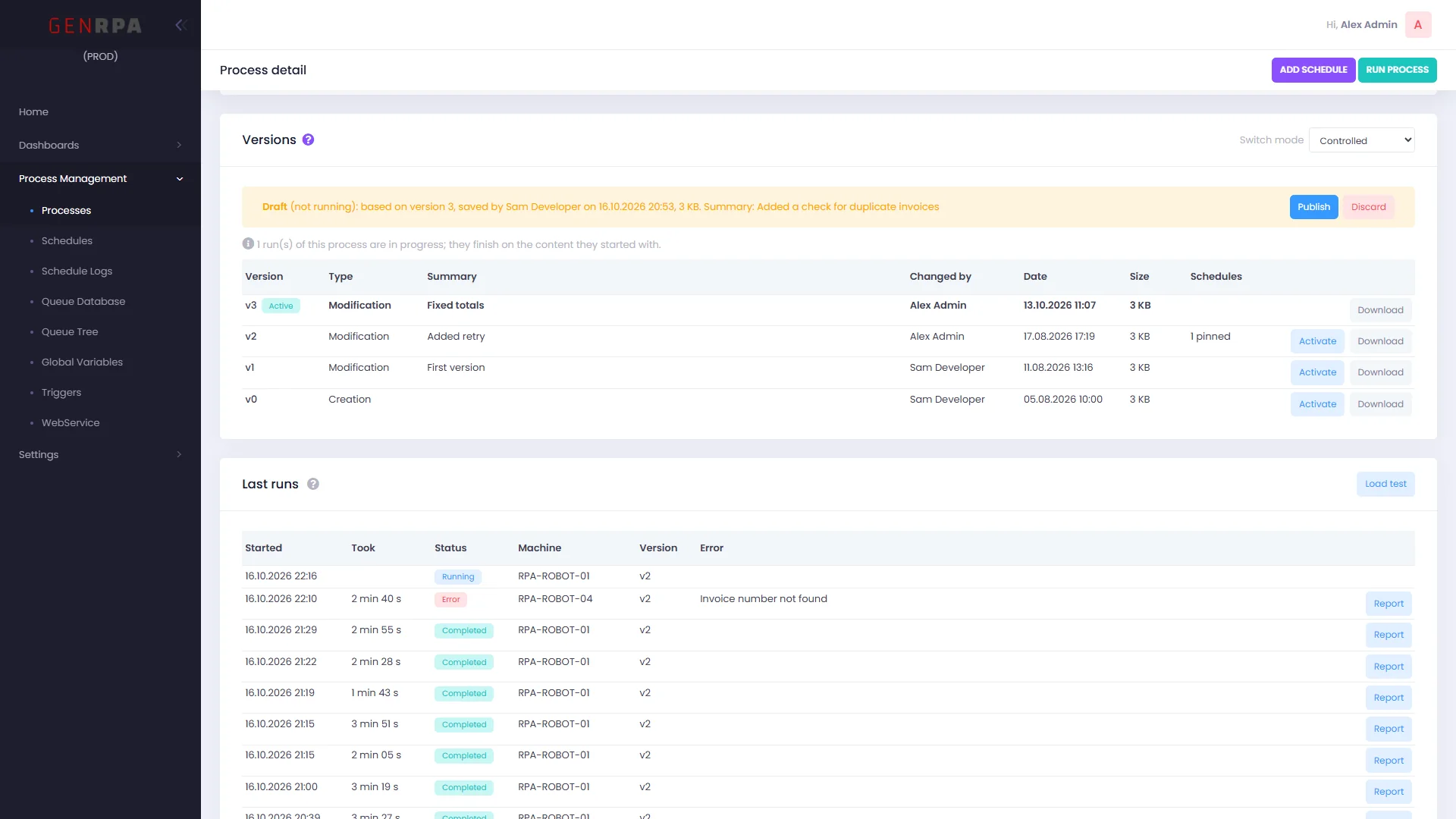
Process detail with the Versions card, a draft waiting to be published and the last runs
Process detailControlled publishing, a draft waiting to go live, the last runs with their reports and a load test.
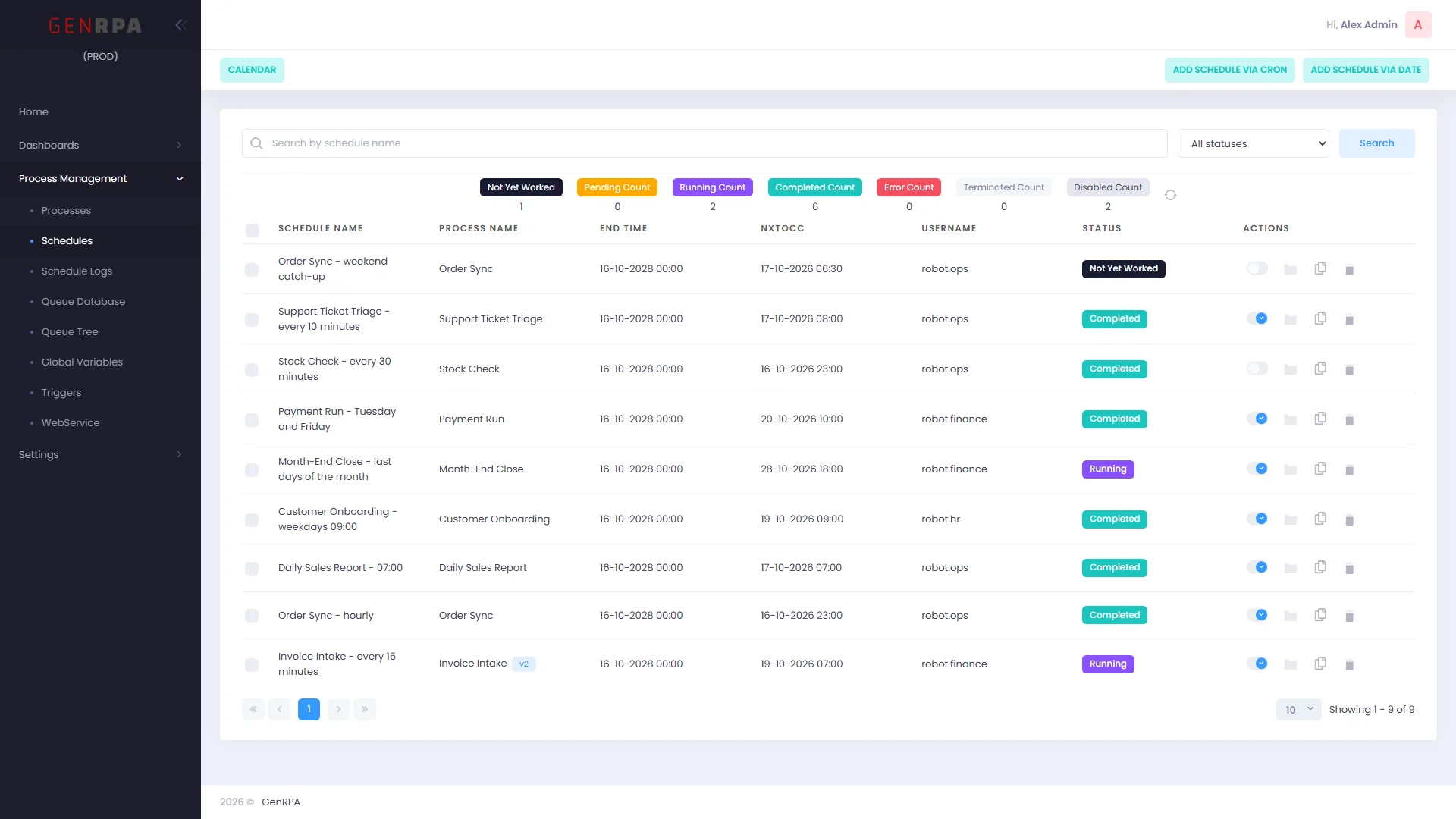
Schedules with status counts, an On/Off switch, duplicate and delete actions for each schedule
SchedulesStatus counts, an On/Off switch for each schedule, duplication in one click and a version badge when a schedule is pinned.
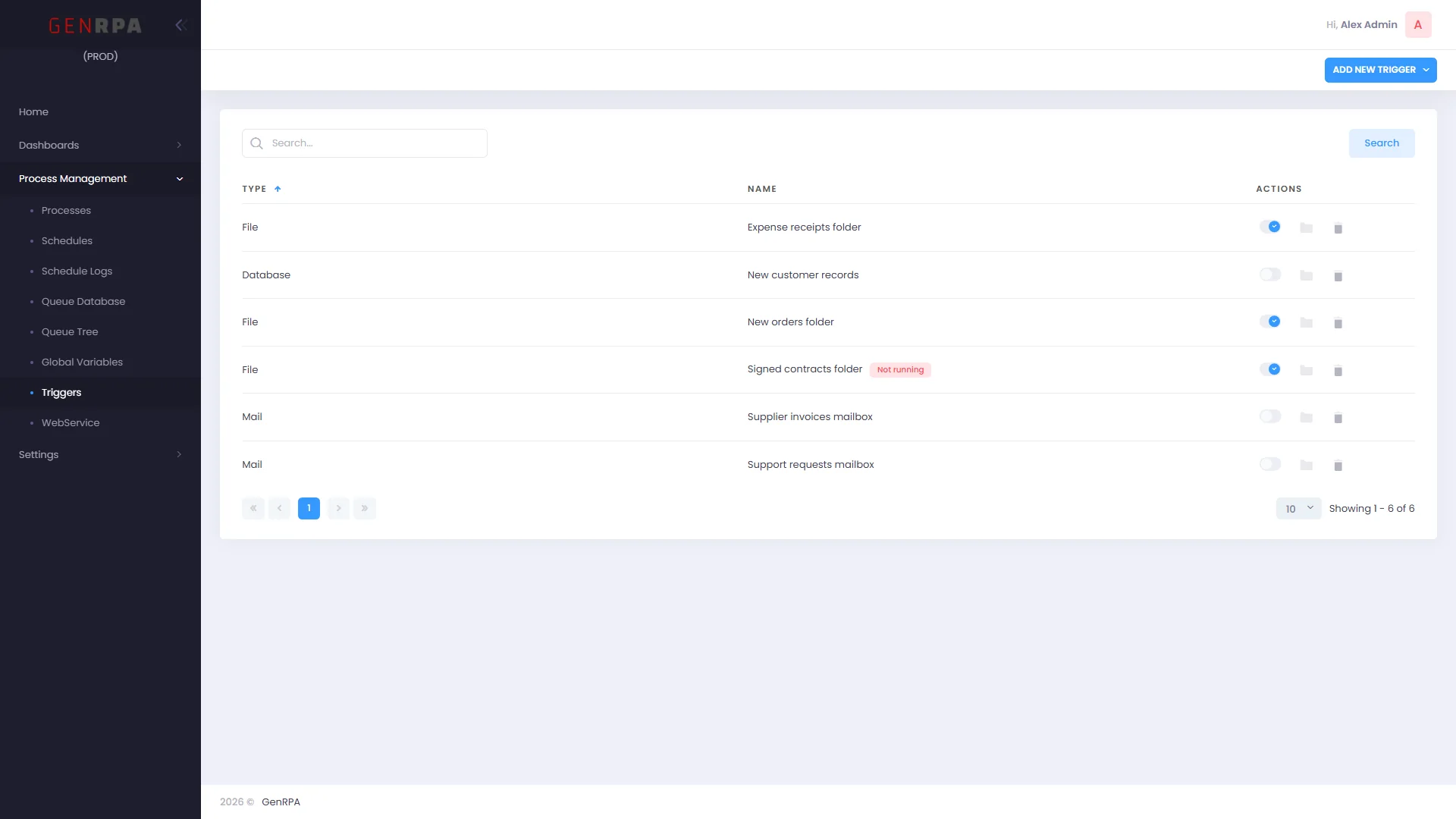
Triggers for files, a database and mailboxes, each with an On/Off switch
TriggersMail, file and database triggers with an On/Off switch. A trigger that is on but not running says so.
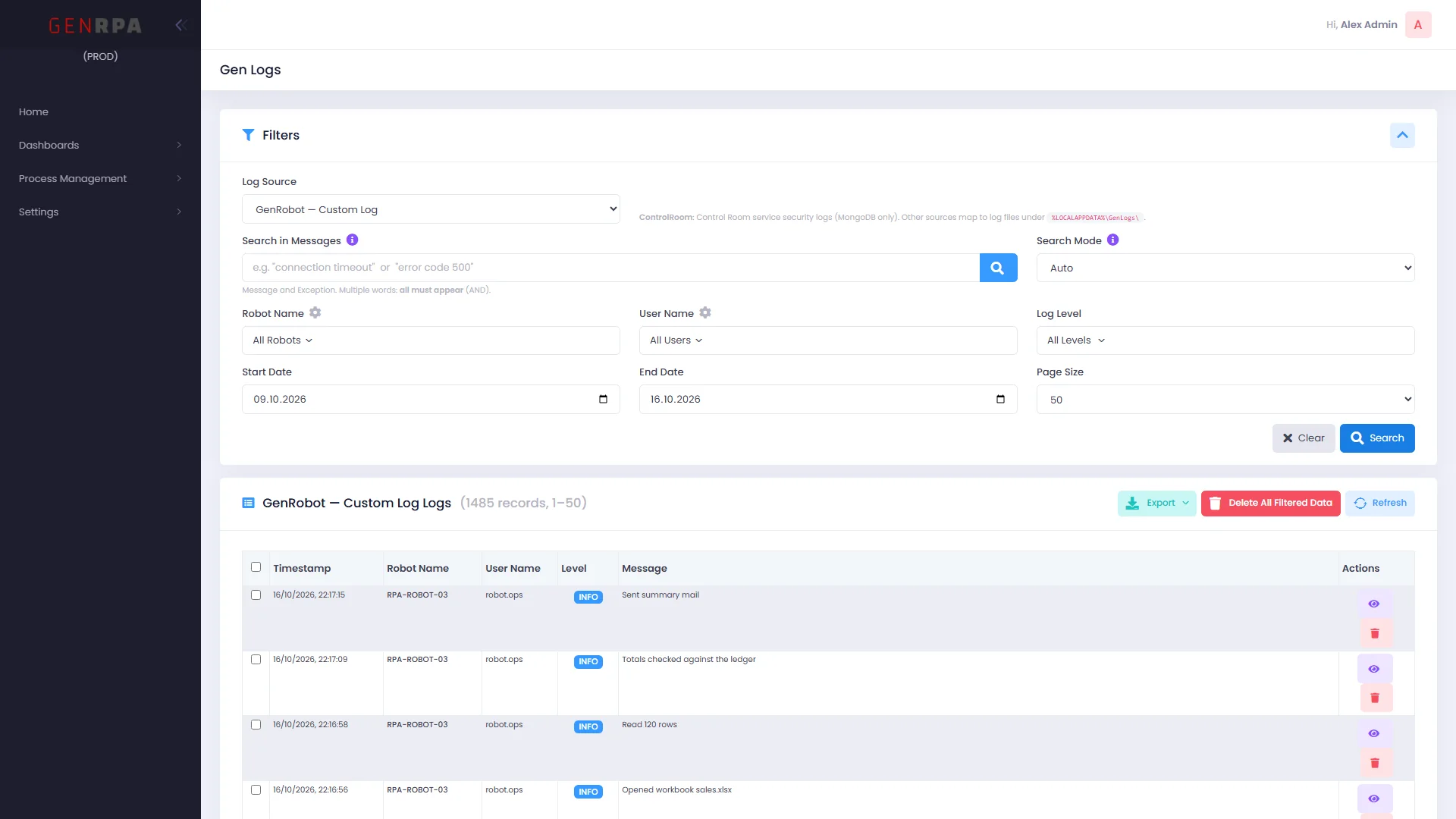
Gen Logs with filters for log source, robot, user, level and dates, and the matching log lines
Gen LogsSearch robot logs by source, robot, user, level and date, and export what you find.
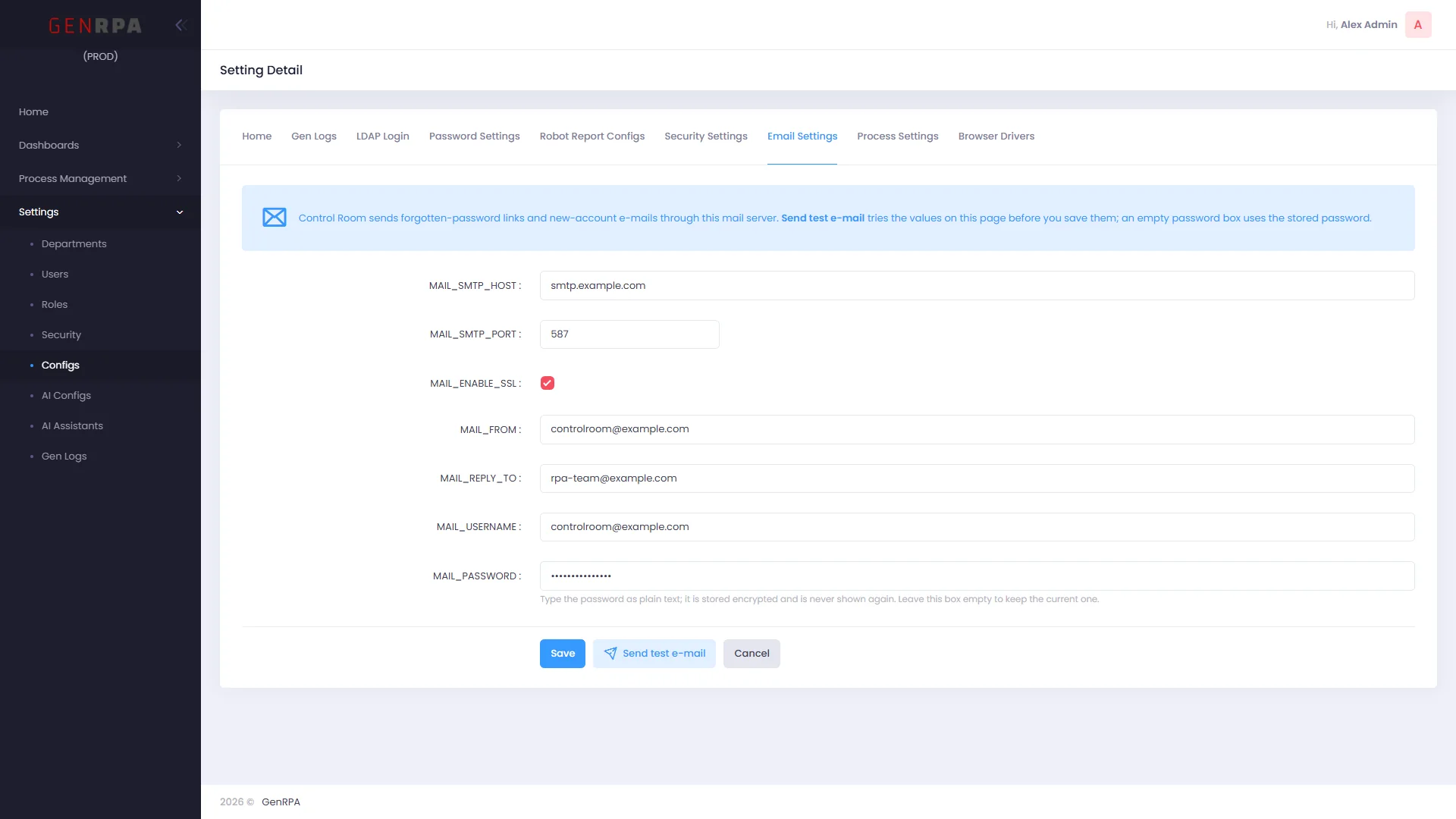
Email Settings in GenControlRoom with the mail server fields and a Send test e-mail button
E-mail settingsSet up the mail server and try it with Send test e-mail before you save.
06 · GenRPA Setup

Install, update and repair with one wizard

GenRPA Setup prepares a developer PC, a robot machine or a GenControlRoom server, checks every file against a signed list and backs up before it changes anything.
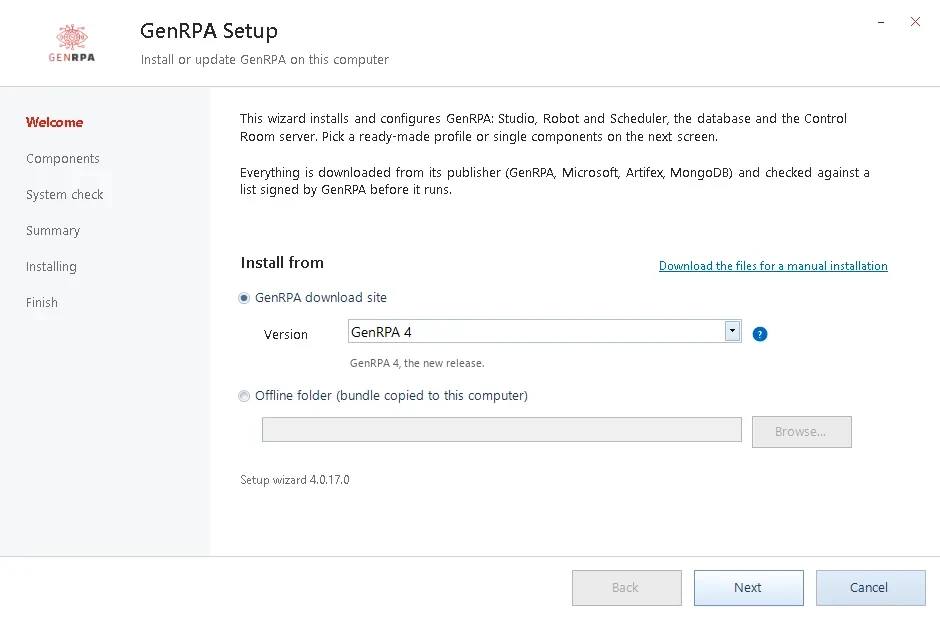
GenRPA Setup welcome page: install from the GenRPA download site or from an offline folder
WelcomeInstall from the GenRPA download site or, in closed networks, from an offline folder.
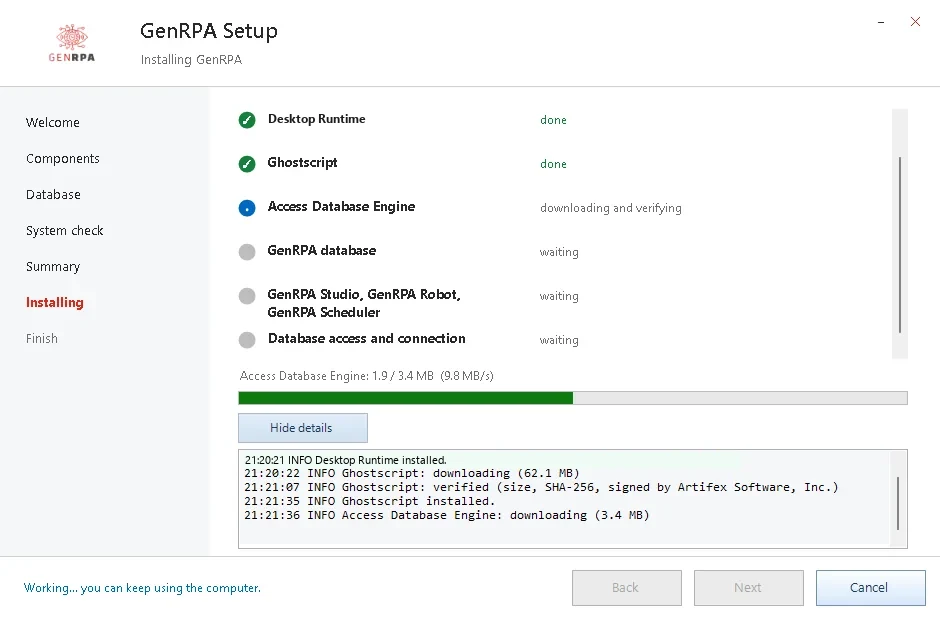
GenRPA Setup installing the components step by step with a live log
InstallingEvery component with its progress and a live log.
Live demo

See it on your own processes

A live session with our team, planned around what you want to automate.

Product tour

We walk you through GenStudio, UI Explorer, GenBot and GenControlRoom from end to end.

Your scenario

Share one of your processes and see together how GenRPA would automate it.

Questions and answers

Ask our team anything: licensing, installation, security or moving from GenRPA 3.7.

Request a live demo

Tell us what you want to automate, and we will plan the session around it.