GenRPA 4.0 · a new generation

What's New in GenRPA v4

Our biggest release so far: a redesigned GenStudio in light and dark, UI Explorer with one element picker for every application, process versions and drafts, a Process Analyzer that catches mistakes before the robot runs, and a GenControlRoom built for daily operations. All of it safe to adopt next to GenRPA 3.7.

GenStudio 4
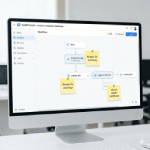
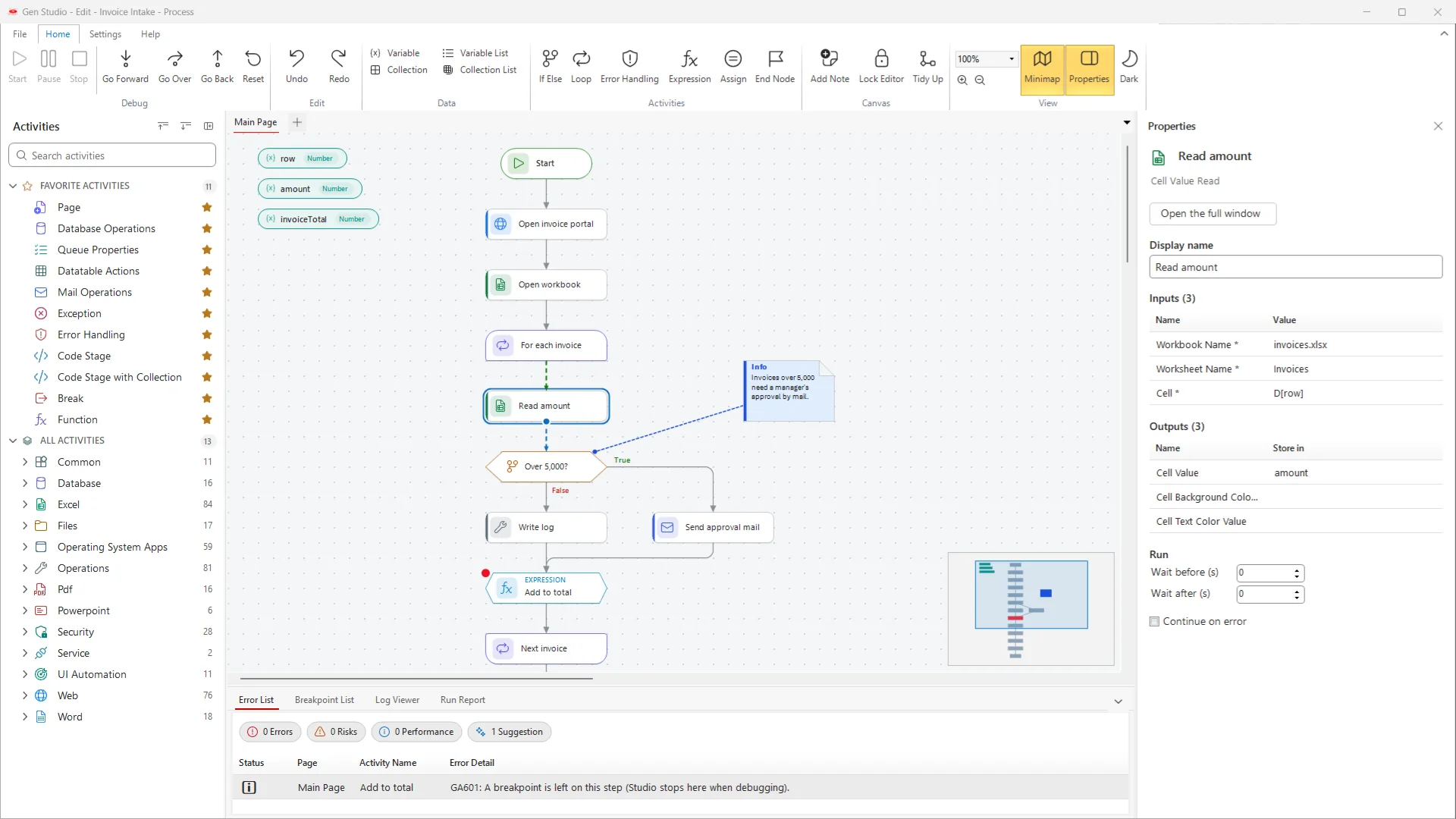
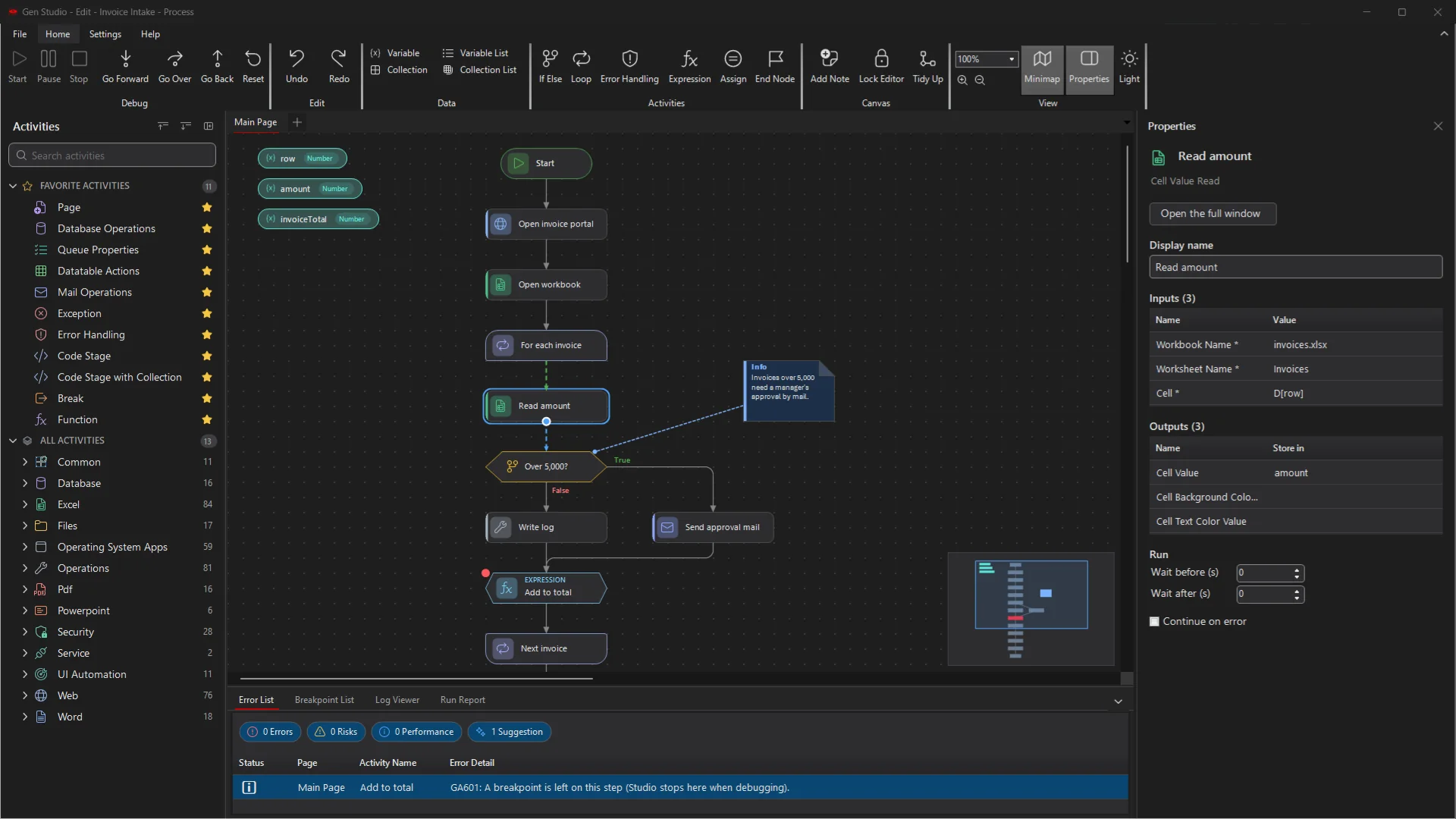
GenStudio 4 with an invoice process on the canvas, the Properties panel and the Error List GenStudio 4 in the dark theme
Modern coreA modern, long-term supported foundation for every GenRPA app.
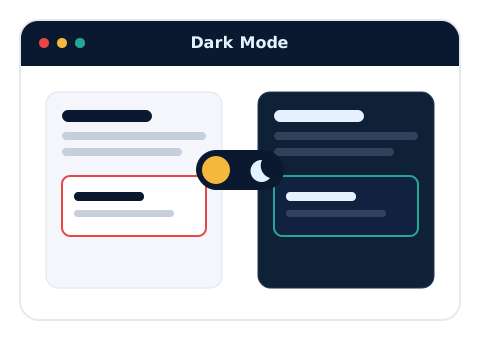
Light & darkA redesigned GenStudio: start screen, ribbon, icons and every dialog.
One databasev4 and 3.7 work on the same database while you move.
One setupInstall, update, repair and back up from one wizard.
01
GenStudio

A new GenStudio, in light and dark

GenStudio was redesigned from the ground up: cleaner, quicker to find things in, and comfortable for long design sessions.

What we did

We rebuilt the GenStudio shell: a new start screen with a navigation rail and a searchable process library, a ribbon regrouped into Debug, Edit, Data, Activities, Canvas and View, an activity panel with favourites, recent items and counts, and one consistent set of icons. A new dark palette also colours the window frame, tabs and scroll bars, and every dialog follows the same design, with status shown in the window instead of pop-up boxes.

What's in it for you?

  • A clean, modern workspace that is easy to read in light or dark.
  • Find what you need faster: search the library and the activity panel, pin favourites, reopen recent items.
  • The ribbon and panels fit every screen, from 1024 x 768 servers to 4K monitors.
  • One look across GenStudio, GenBot, the Scheduler and the sign-in screen.
Start screen
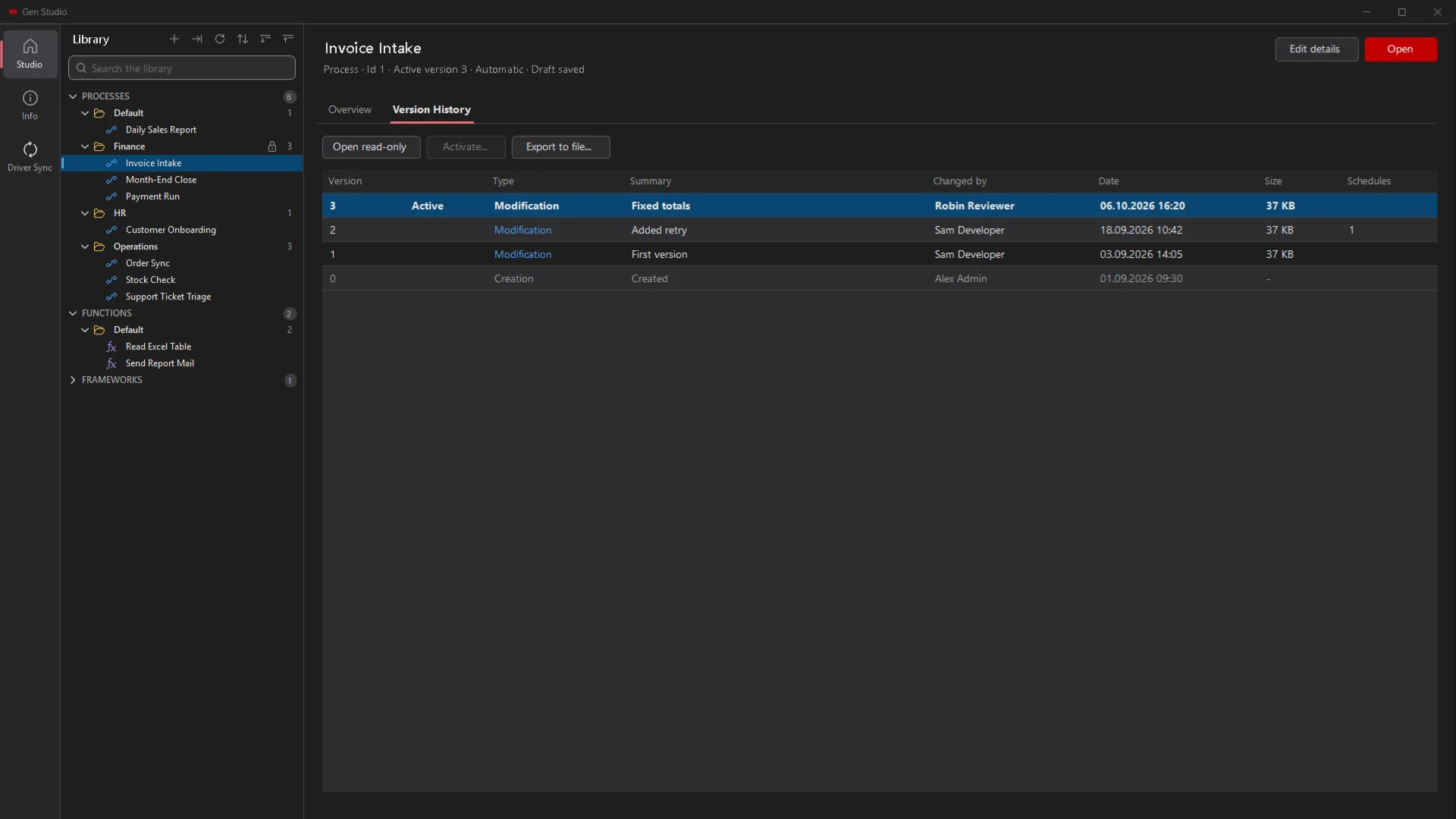
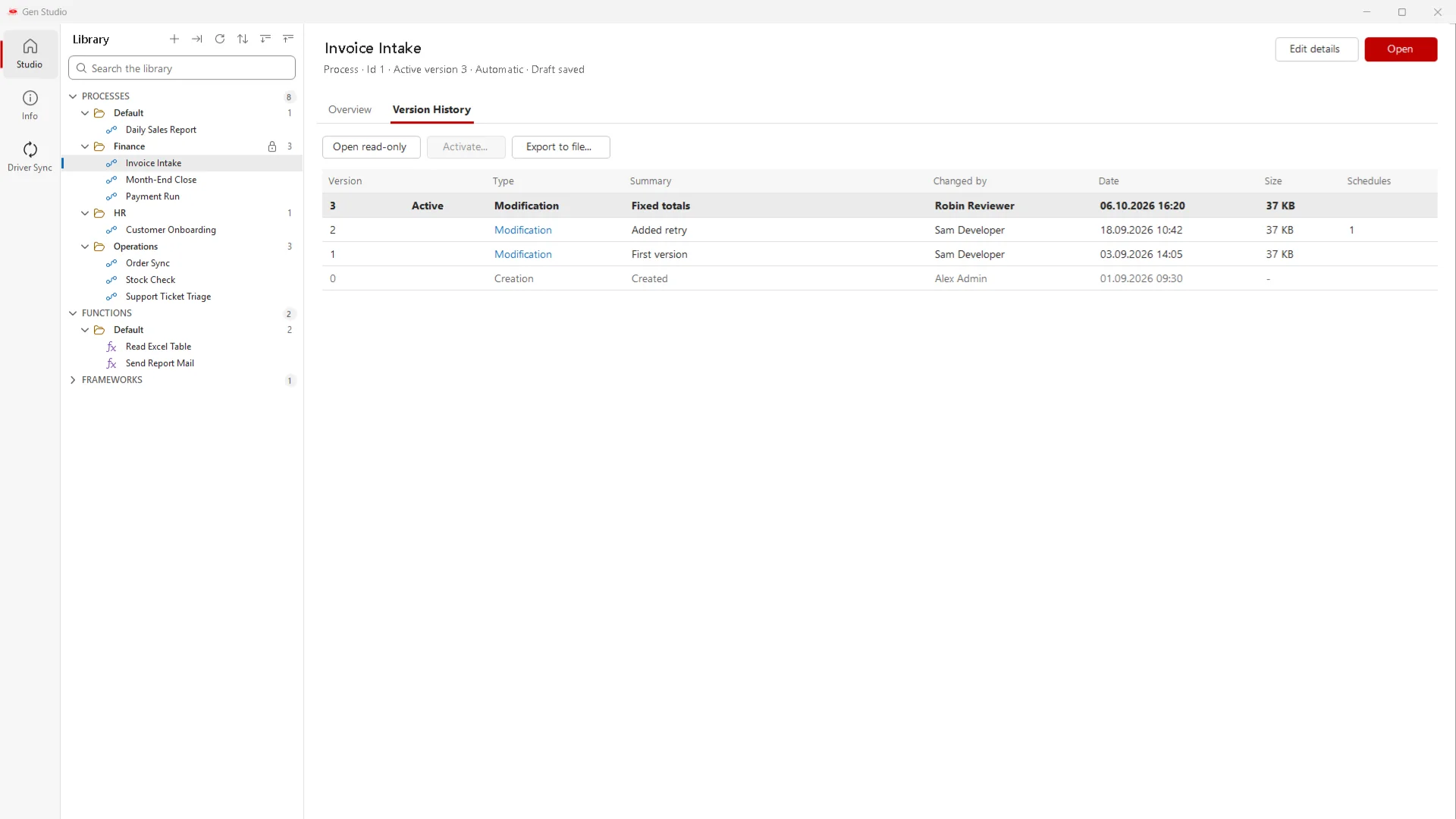
GenStudio start screen with the process library and the version history of a process GenStudio start screen in the dark theme
The start screen: your processes, functions and frameworks in one searchable library.
02
GenStudio · UI Automation

UI Explorer: one element picker for every application

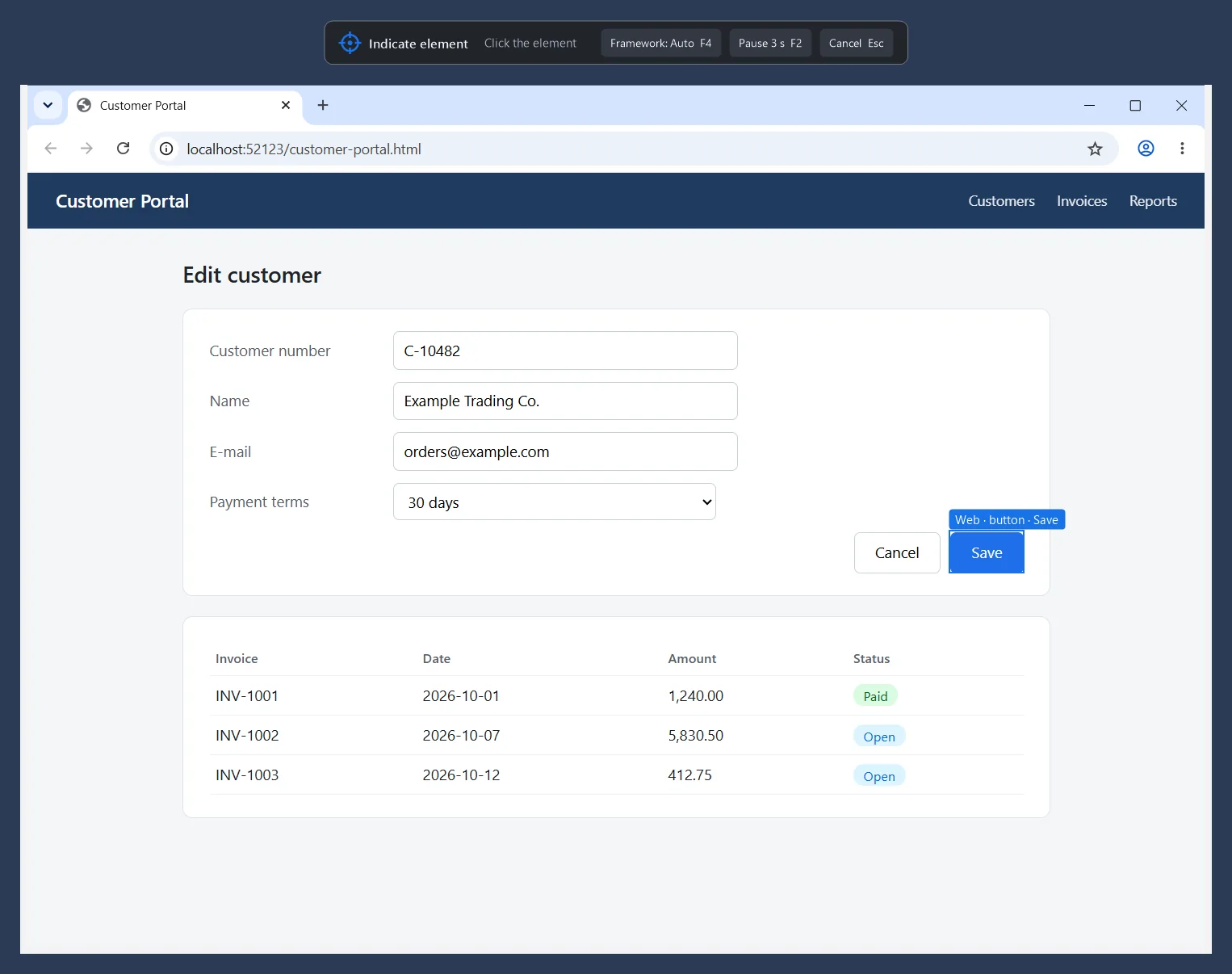
Point at any element in a Windows application, a Java or Delphi program or a web page, and GenRPA builds a stable target you can see, edit and test.

What we did

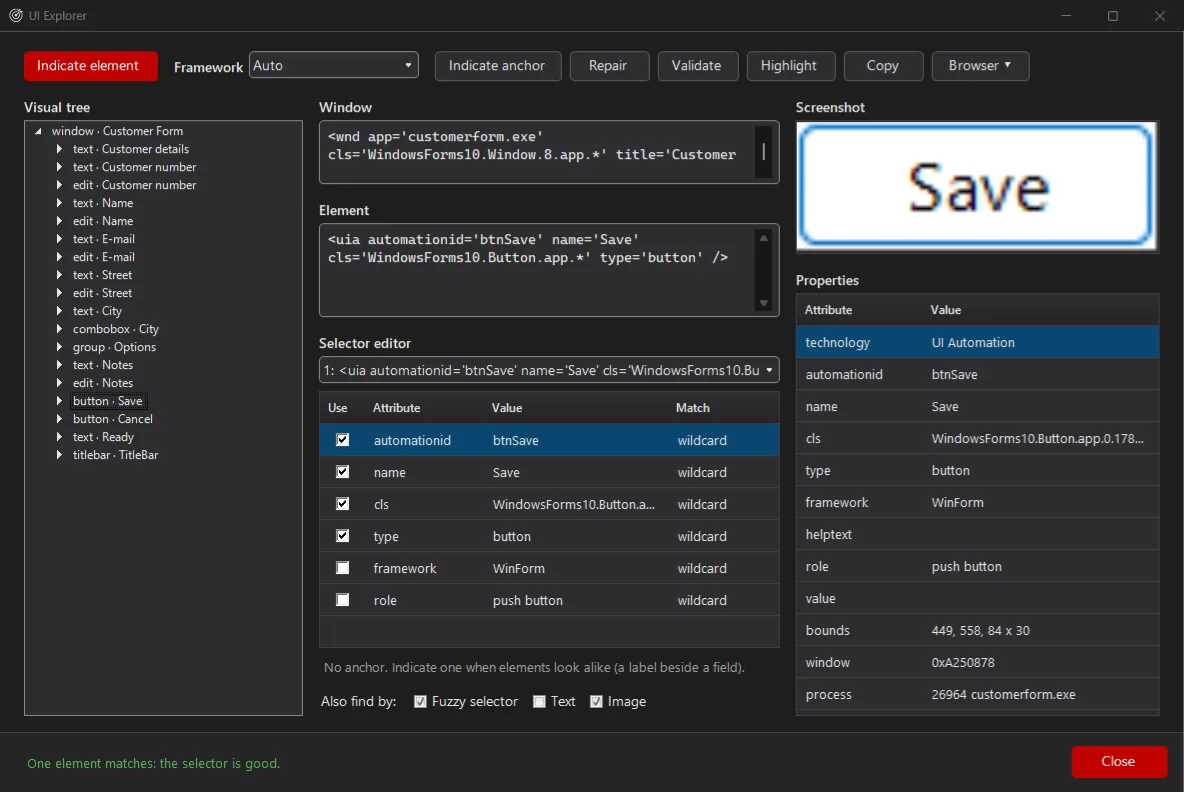
We replaced the separate pickers with one engine. You indicate an element on screen, and UI Explorer shows its place in the element tree, its selector, its properties and a picture of it. You can edit and validate the selector, add an anchor and repair a target that stopped matching. Eleven new UI Automation activities, such as Click, Type Into, Get Text, Select Item and Element Exists, use these targets, and older element steps can be upgraded in one click.

What's in it for you?

  • One way to pick elements in desktop applications and in Chrome and Edge.
  • More robust robots: built-in waits, plus text, fuzzy and image fallbacks when a selector no longer matches.
  • Existing processes keep running; Upgrade converts old steps, and Ctrl+Z puts them back.
  • Elements inside frames and the shadow DOM can be reached.
UI Explorer
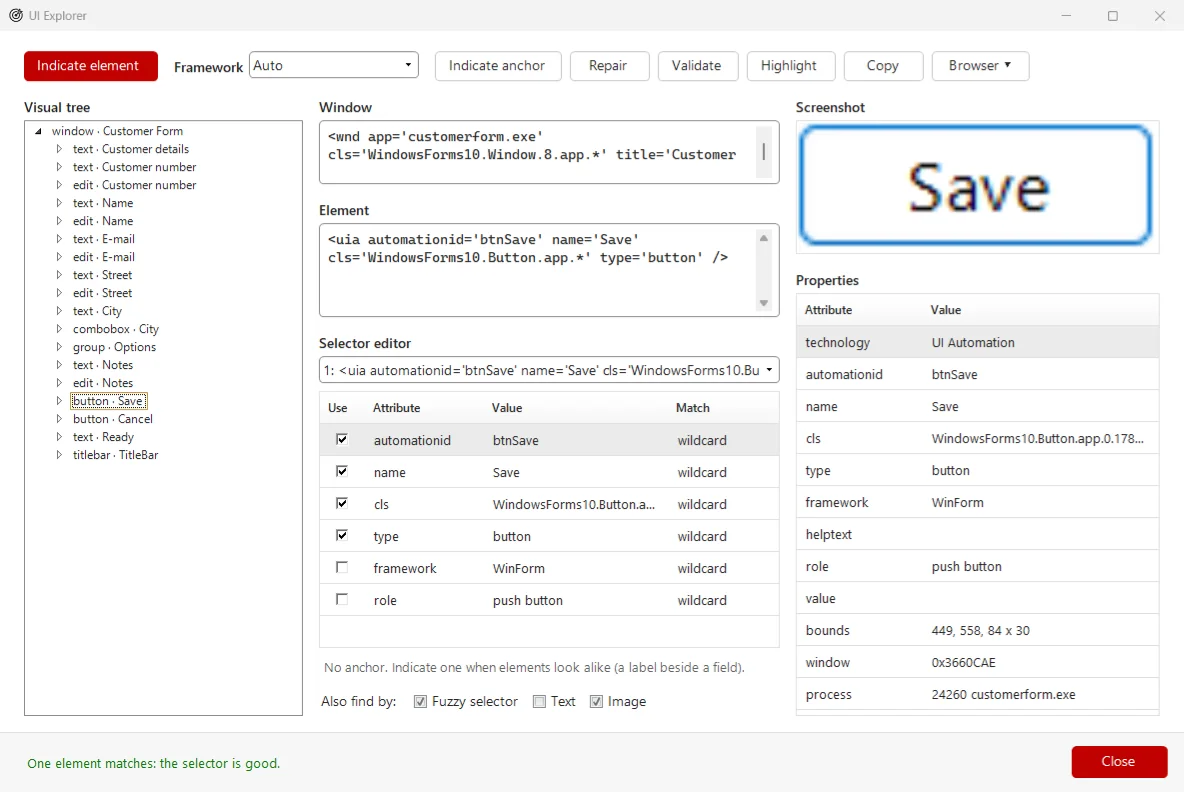
UI Explorer with the element tree, the selector editor and the properties of a picked button UI Explorer in the dark theme
UI Explorer: the element tree, an editable selector and a green check when exactly one element matches.
03
GenStudio · Canvas

A canvas that stays readable: Tidy Up, minimap and notes

Large processes become easy to read and quick to arrange.

What we did

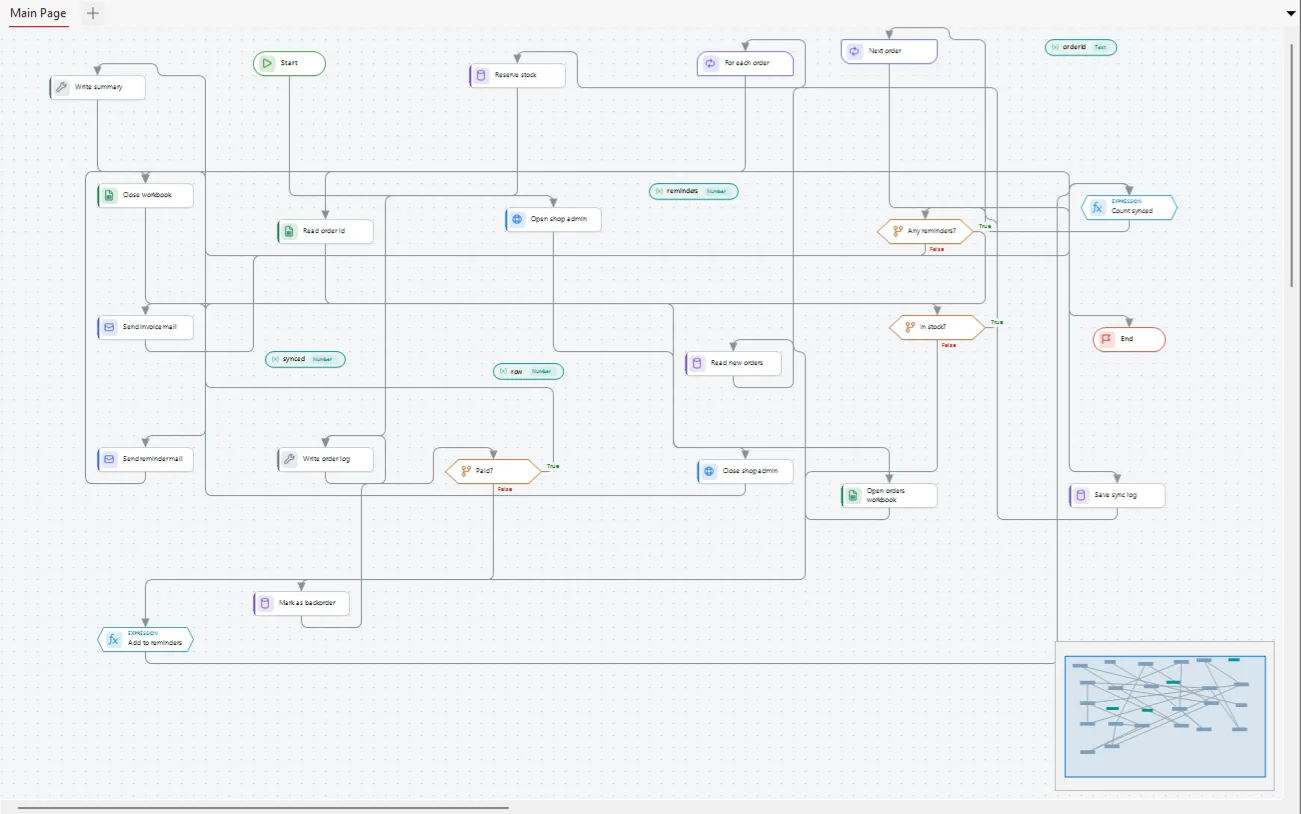
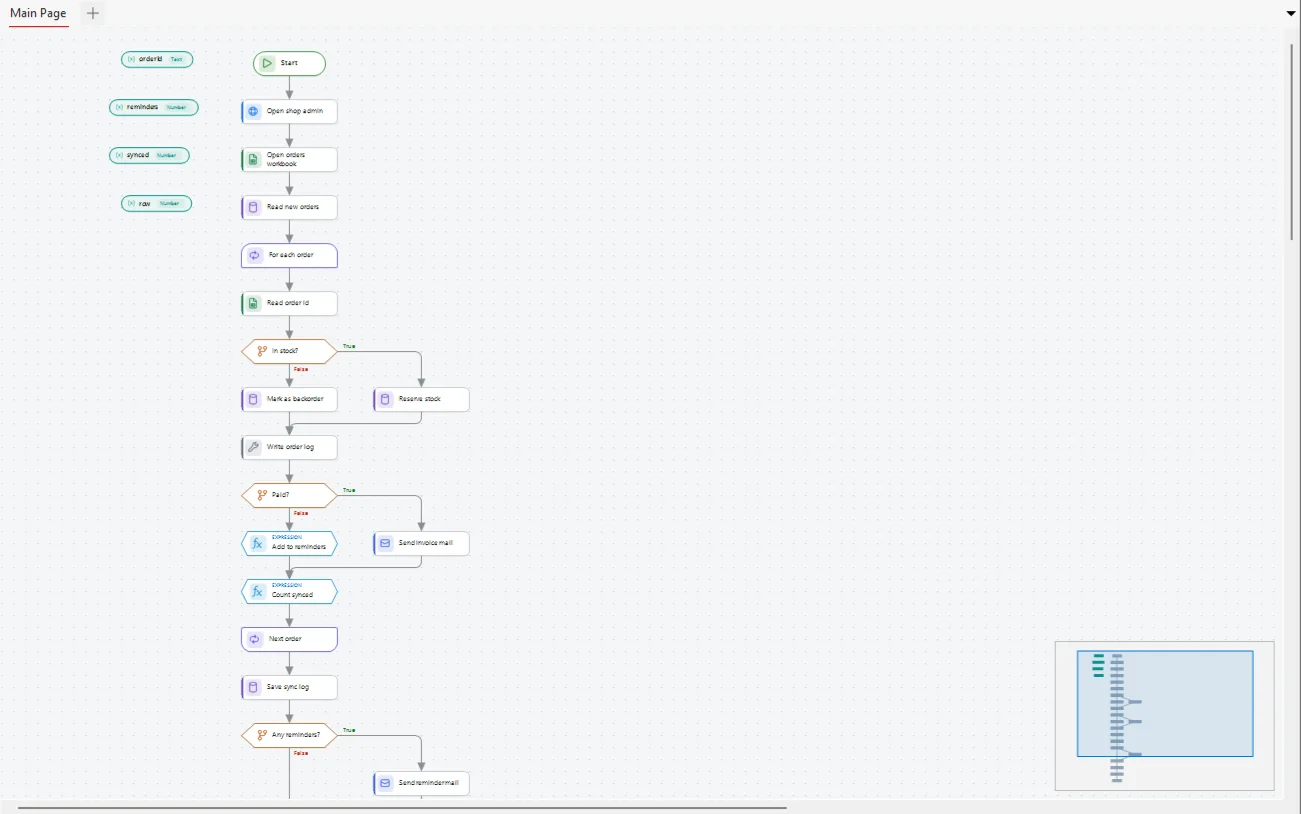
Steps are now drawn as icon cards with clear states. Tidy Up lays out a whole page or a selection in one click, a minimap shows the page and where you are, and notes come in four types that can be attached to the step they explain. Pages can have colours and labels, a "+" on a link inserts a step right there, steps can be copied between GenStudio windows, and a Properties panel on the right edits the selected step.

What's in it for you?

  • Arrange a crowded page in one click and keep it tidy.
  • Document your design on the canvas with Note, Developer, Warning and Info notes.
  • Build faster: insert on a link, copy between windows, edit in the Properties panel.
  • Processes saved in v4 still open in GenRPA 3.7.
A crowded process page before Tidy Up
Before After Tidy Up
Drag the handle: the same page before and after one click on Tidy Up.
04
GenStudio · GenControlRoom

Process versions, drafts and controlled publishing

Work on a draft, publish when it is ready, and go back to a known good version in seconds.

What we did

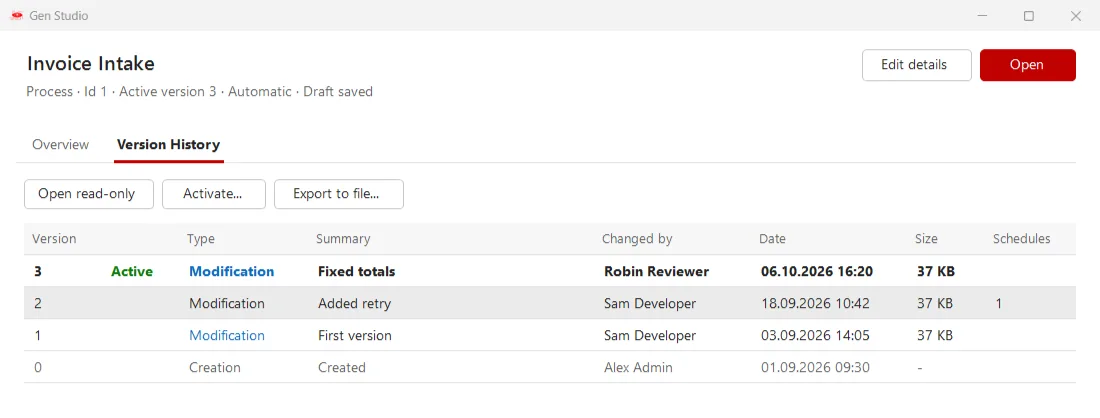
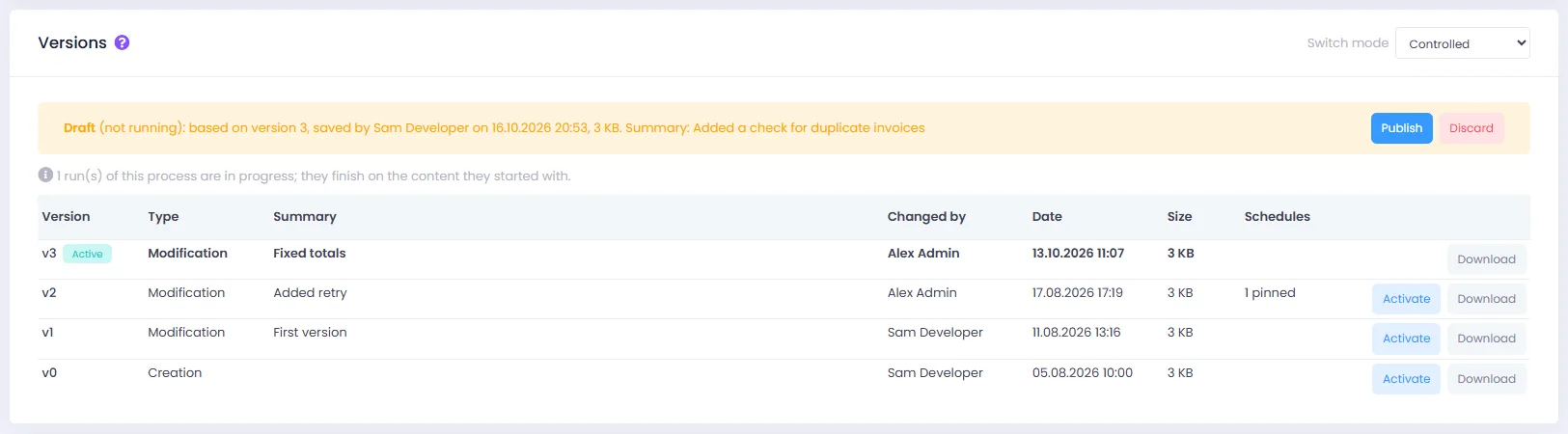
GenStudio now keeps your working draft apart from the active version that robots run. Save a draft without touching production, then activate it with a short summary. Every process has a version history: open any version read-only or make it active again. In GenControlRoom a process can be set to Controlled, so only users with the publish permission activate new versions, and a schedule can be pinned to a tested version.

What's in it for you?

  • Edit without risk: robots keep running the active version until you publish.
  • Roll back at once, with a history of who changed what and why.
  • Separate the people who build from the people who release, for audited environments.
  • Pin a schedule to a tested version while development goes on.
Version history
Version history of a process in GenStudio with the active version and a pinned schedule
Every version with its summary and author; open read-only or activate.
05
GenStudio · Quality

Process Analyzer: catch mistakes before the robot runs

GenStudio checks your process for endless loops, missing waits and resources left open, and shows what each run cost.

What we did

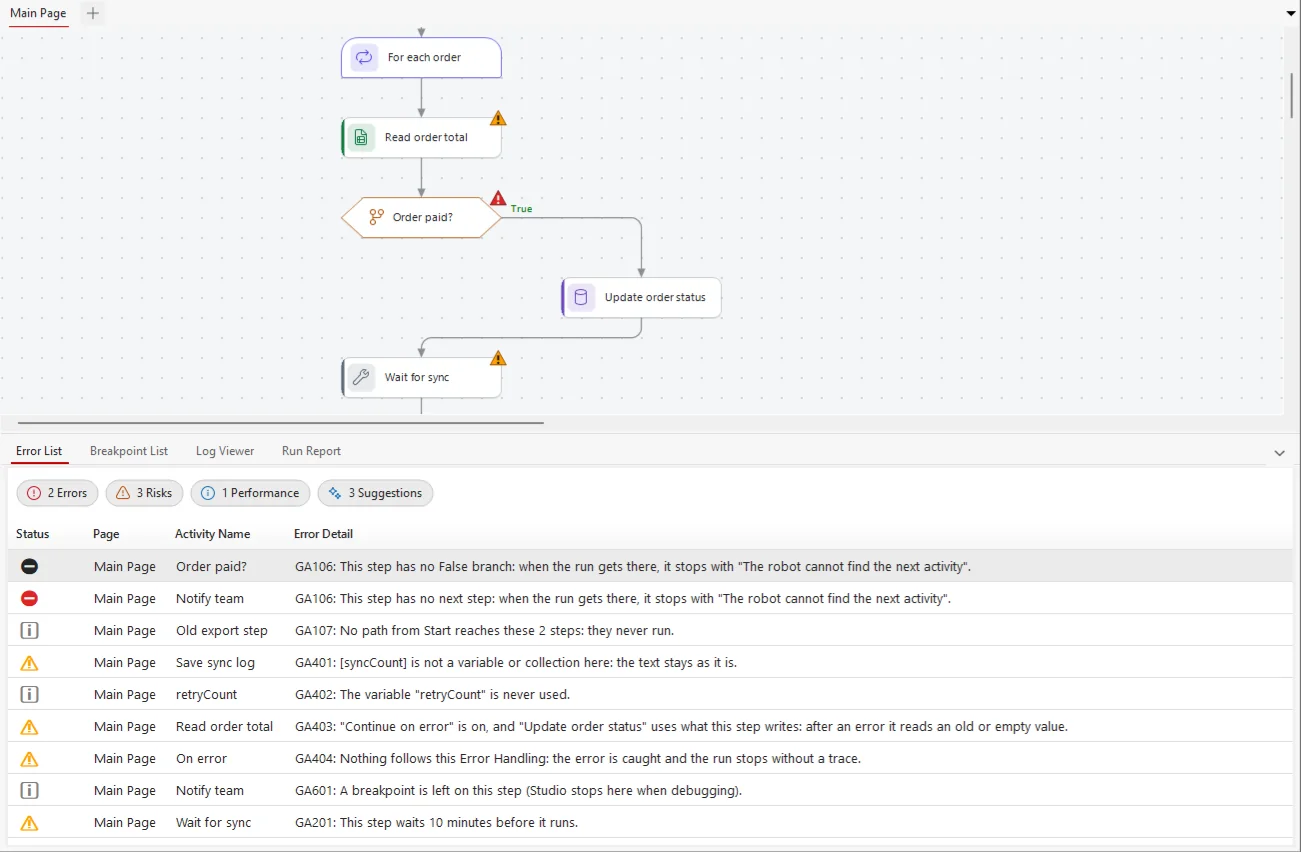
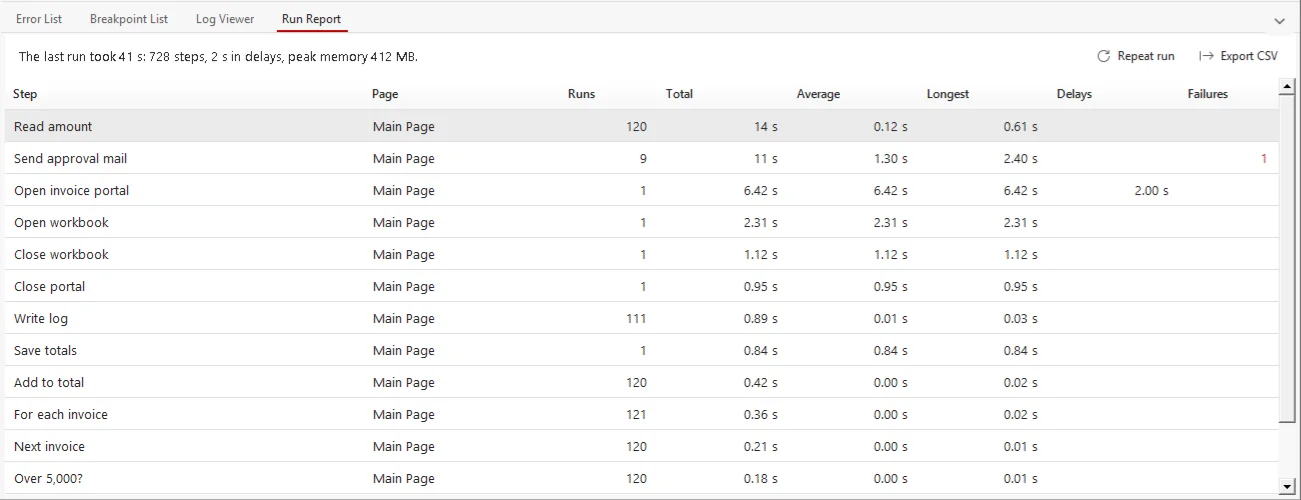
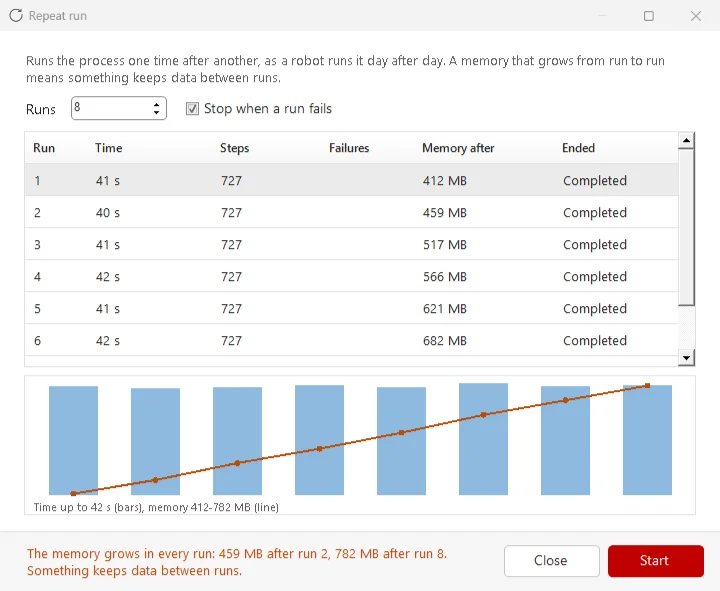
While you design, the Error List applies design rules (endless loops, steps without a next step, browsers and workbooks left open, passwords typed as plain text and more), grouped as Error, Risk, Performance and Suggestion. During a run a watchdog warns about loops that never wait and memory that keeps growing, and the Run Report lists the slowest and most repeated steps. Repeat run runs a process many times and charts time and memory, so leaks show up before go-live.

What's in it for you?

  • Find loops and leaks at design time, not in the middle of the night.
  • See where the time goes: the slowest steps, the delays and the peak memory.
  • Test for leaks before go-live: memory that grows from run to run is flagged.
  • Findings guide you but never block saving or running.
Error List
The Error List with errors, risks, performance findings and suggestions, and the marked step on the canvas
Design rules grouped as Error, Risk, Performance and Suggestion, with the step marked on the canvas.
06
GenControlRoom

GenControlRoom: a daily dashboard and a faster queue

Start the day with the numbers that matter, and find any queue item in seconds.

What we did

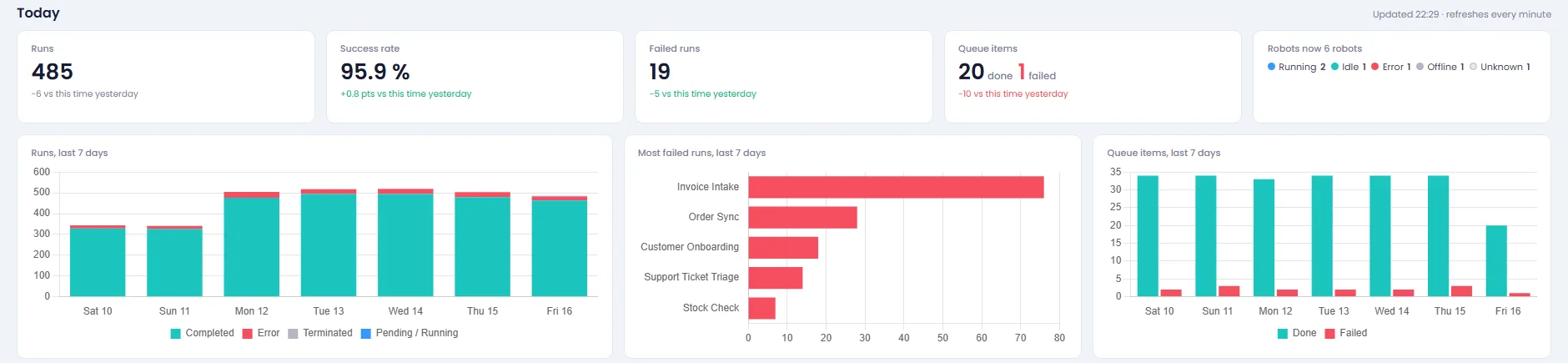
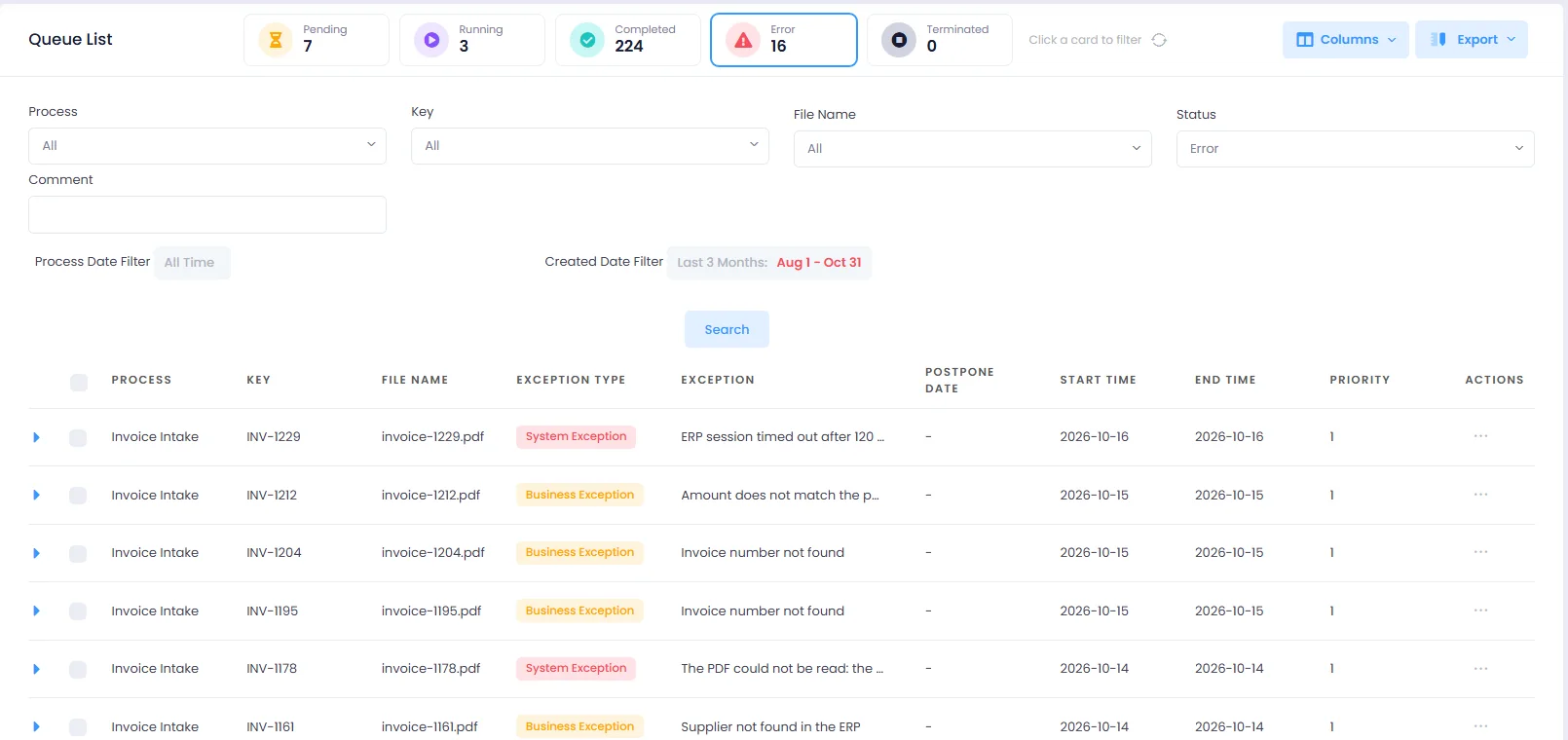
The GenControlRoom home page now opens with a daily KPI band: runs, success rate, failed runs, queue items, robots online and the last seven days. The Queue page has status cards you click to filter, multi-select filters, a column chooser with an Exception column and PDF export options, and queue items can be opened, edited and deleted from the list. Schedules can be duplicated, and triggers have an On/Off switch and tell you why a trigger that is on does not run.

What's in it for you?

  • A morning overview without opening reports.
  • Combine filters, choose columns and export a PDF that fits the page.
  • Fix a queue item without leaving the list.
  • Fewer scheduling mistakes: duplicate a working schedule, switch triggers off and on, see why one is idle.
GenControlRoom
GenControlRoom home page with the daily KPI band
The home page opens with today's runs, success rate, failures, queue items and robots online.
07
GenBot · GenControlRoom

Robot status at a glance, and a new GenBot window

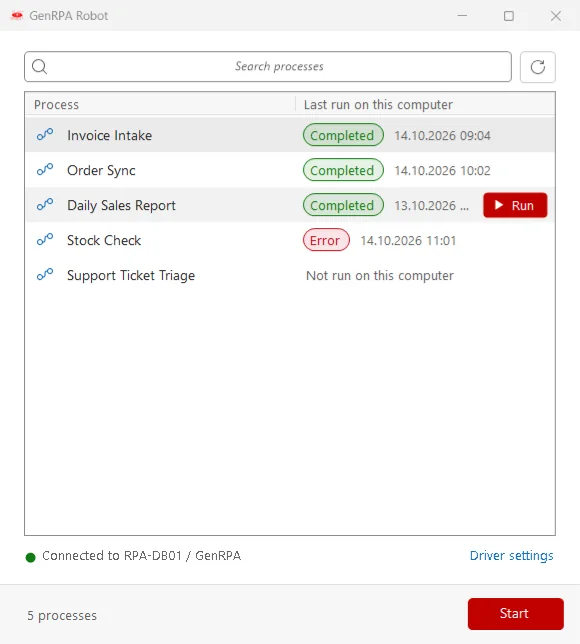
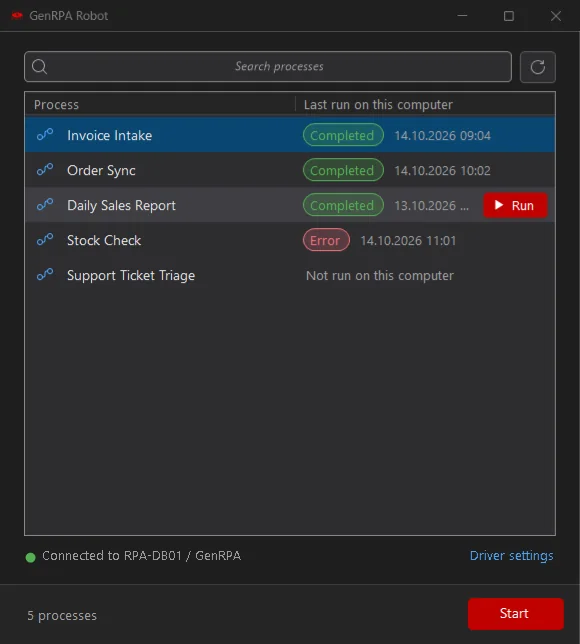
See which robots are running, idle, in error or offline, and start attended runs from a clean new window.

What we did

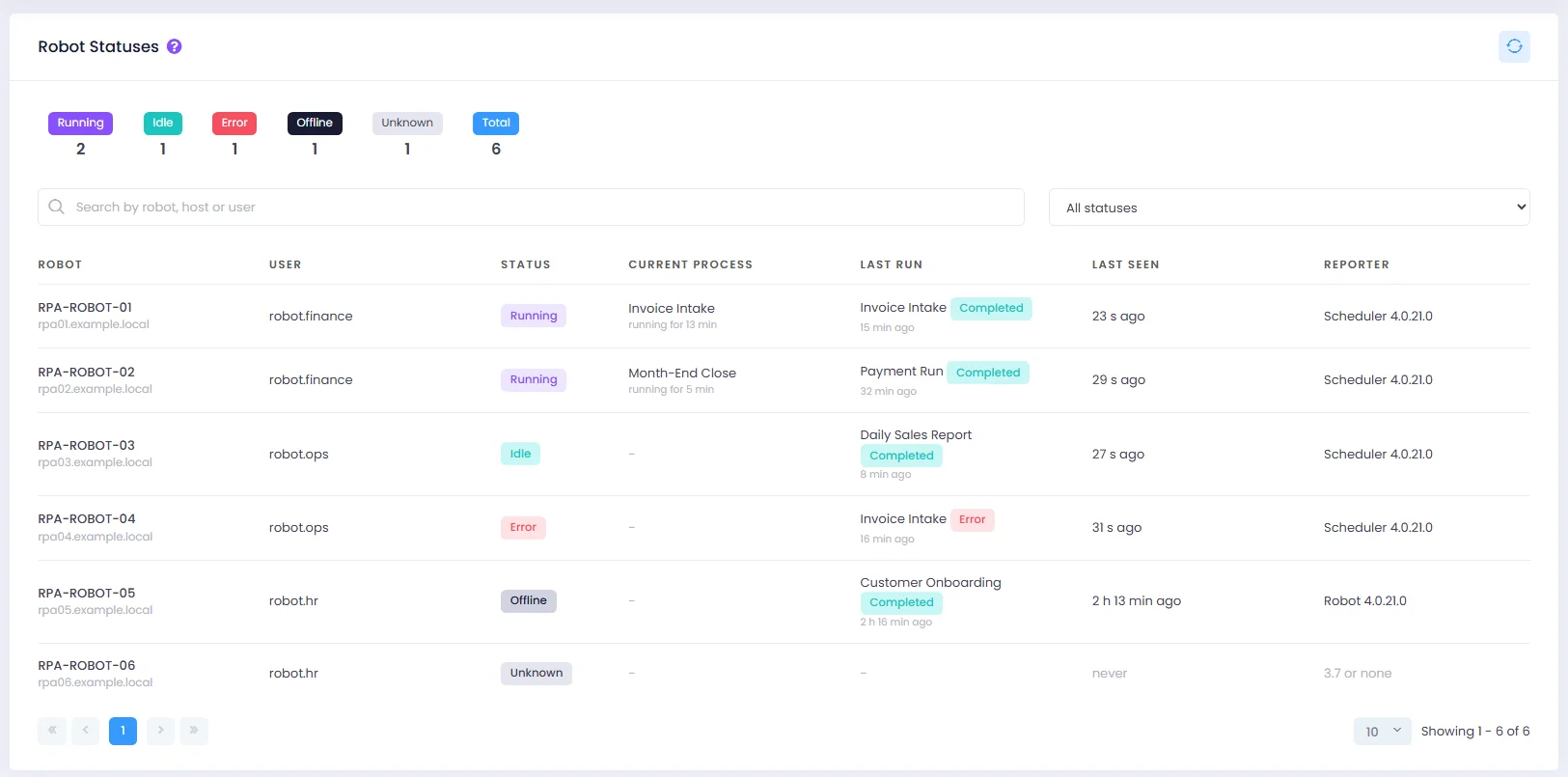
GenBot and the Scheduler now report their status every 30 seconds. GenControlRoom shows a Robot Statuses card with the Running, Idle, Error, Offline and Unknown robots, the process each one is running, its last run and when it last answered. The attended GenBot window was redesigned: a searchable process list, a connection and status line, and a Start button.

What's in it for you?

  • Spot a stopped or offline robot immediately, not after a missed report.
  • See the whole fleet on one card.
  • A simpler window for attended users: pick a process and start it.
  • No extra ports or services: the status goes through the GenRPA database.
Robot Statuses
Robot Statuses card in GenControlRoom
The fleet on one card in GenControlRoom.
08
Installation

GenRPA Setup: one wizard to install, update and repair

One small program sets up a developer PC, a robot machine or a whole GenControlRoom server, and repairs it later.

What we did

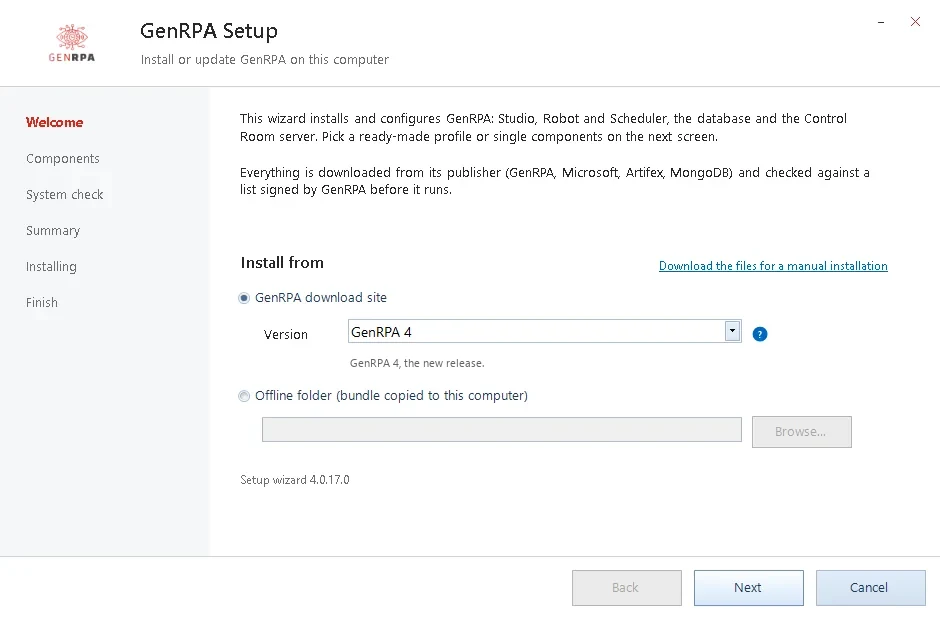
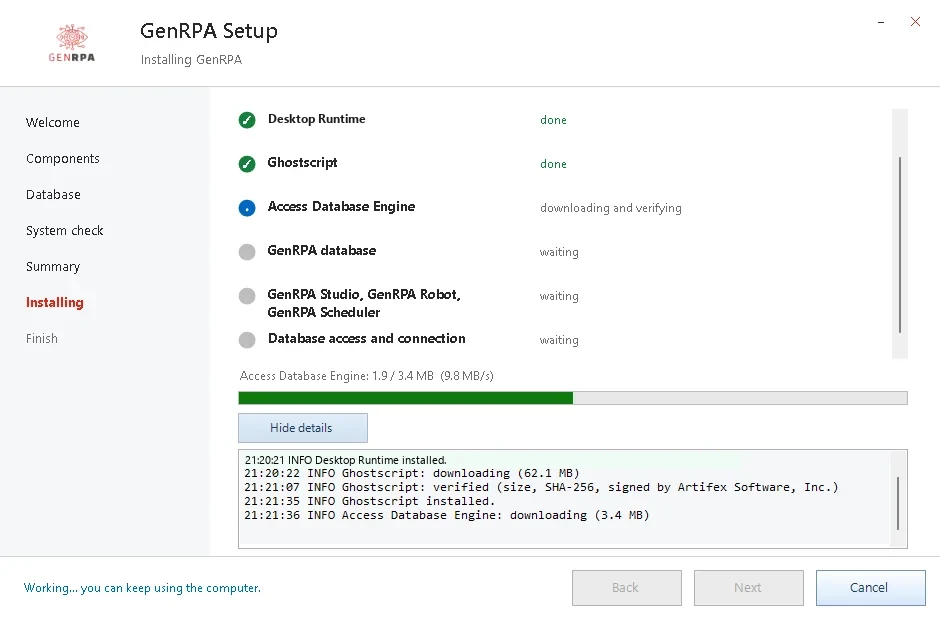
GenRPA Setup checks the computer, takes what is missing from the GenRPA download site (every file verified against a signed list) or from an offline folder, and installs it: GenStudio, GenBot and the Scheduler, the required runtime, SQL Server Express and the GenRPA database, and for servers IIS, MongoDB and GenControlRoom. It recognises what is already installed, repairs or removes parts, backs up before it changes anything, brings the database up to date and can go back to GenRPA 3.7.

What's in it for you?

  • A working developer PC, robot machine or GenControlRoom server in minutes.
  • Safe updates: backup first, database brought up to date, restore when needed.
  • Works in closed networks with an offline bundle and a manual download list.
  • Clear messages and a support package when a step fails.
GenRPA Setup
GenRPA Setup: choose what this computer is for
Choose what the computer is for; Setup works out the rest.
GenRPA Setup
GenRPA Setup installing the components step by step
Every step with its progress and a live log.
09
GenStudio · GenBot

Browsers that stay in sync

When Chrome or Edge updates itself, the robot's driver follows it.

What we did

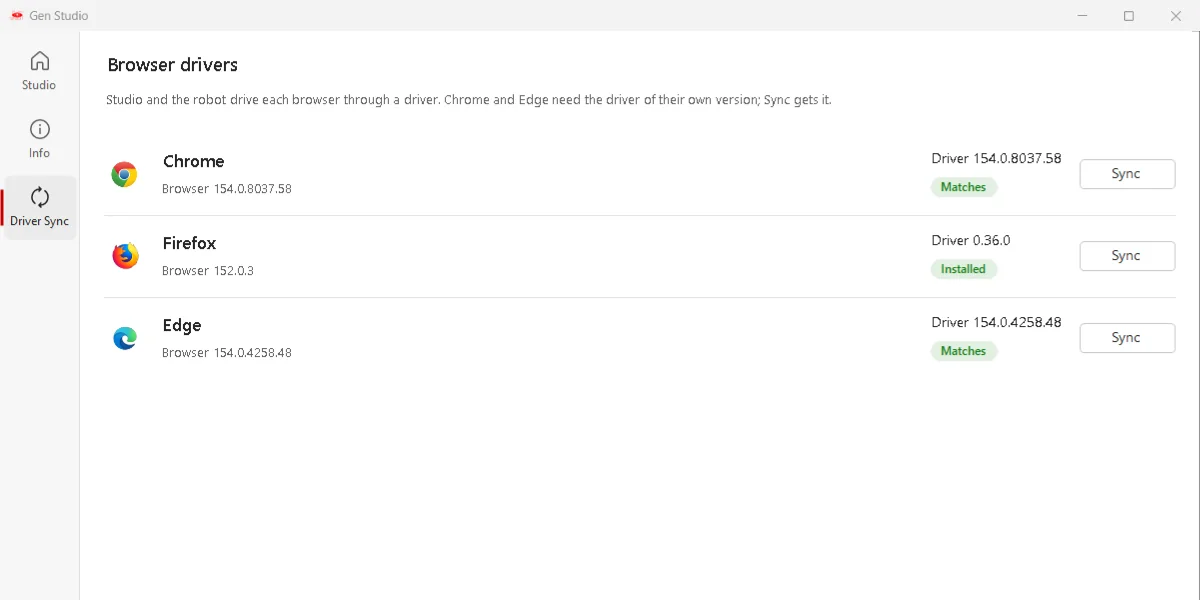
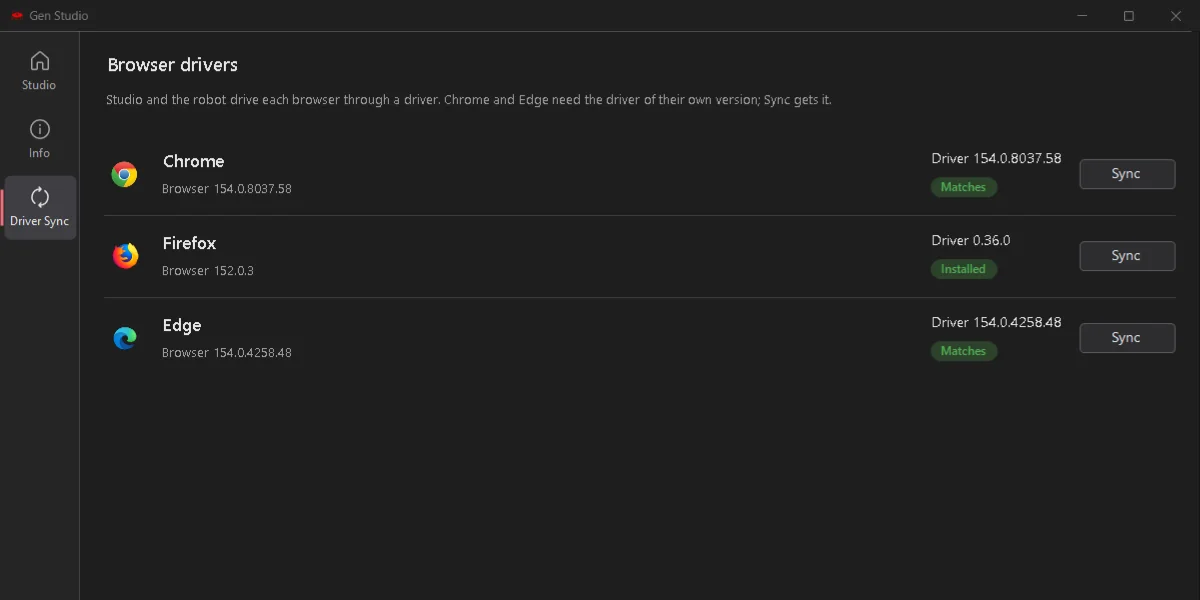
GenRPA can keep the Chrome and Edge drivers matched to the installed browser. Choose Manual or Auto-match per computer, or set it once for the whole fleet in GenControlRoom. Before a browser opens, GenStudio and GenBot check its version and fetch the matching driver (the Edge driver is checked for Microsoft's signature) into a folder that needs no administrator rights. A Driver Sync page on the start screen shows the result.

What's in it for you?

  • No more robots stopping after an automatic browser update.
  • Your IT keeps control of browser updates; GenRPA follows them.
  • One setting for the whole fleet, and a mirror folder for closed networks.
Driver Sync
The Driver Sync page with Chrome and Edge drivers matched to the installed browsers The Driver Sync page in the dark theme
Driver Sync: the installed browsers and the drivers that match them.

Upgrade with confidence

GenRPA v4 was built to sit next to GenRPA 3.7 while you move, so you can update one team or one robot at a time.

One databaseGenRPA 3.7 and v4 sign in to the same database during the move.
Works both waysA process saved in v4 opens and runs in GenRPA 3.7.
A way backGenRPA Setup backs up first and can take a computer back to 3.7.
Before you update: "Continue on error" now works for every step, including UI and Excel steps. A 3.7 process with this option ticked on a step that fails will go on in v4 where 3.7 stopped, so review those steps first. Back up the GenRPA database before you update GenControlRoom.

More new features

Smaller additions that make a difference every day.

Self-test

Help > Self-test runs GenStudio's activities on this computer (Office, browser, PDF, database, mail and more) and saves a pass or fail report.

Image targeting

Click or type into an element found by its picture, also behind other windows.

Browser extension

Pick and run in the Chrome or Edge window the user already has open.

Log Viewer

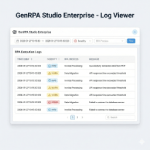
Level chips, search and CSV export, opened from any tab of the bottom panel.

Variables and expressions

A search box for variables, name completion and a resizable expression window that remembers its size.

Config tree

Drag config values from a tree beside the If Else, End, Page and Queue windows.

Continue on error, everywhere

Works for every step; the step that failed is logged as a warning.

Load test

Run a process on the robots you choose, one run after another, and read the summary in GenControlRoom.

Unattended mode

The robot account signs in by itself and keeps its desktop, also after someone connects by Remote Desktop.

PDF Viewer

Shows the PDF itself, with its texts one click away.

What's New window

After an update, GenStudio shows what changed.

Drafts in the process list

A Draft badge and a "Has draft" filter in GenControlRoom.

Improvements

Hundreds of changes under the hood. The most important ones:

GenStudio

  • Windows open faster, and the ribbon no longer shifts on other screen resolutions.
  • The activity panel folds to a narrow rail so the canvas gets the room.
  • Many activities were corrected to do exactly what their name says: Excel, Word, PowerPoint, PDF, CSV, mail, REST, SOAP, database, zip, desktop and browser steps.
  • Expressions and Code Stage scripts are compiled once and reused, so long loops keep their memory flat.
  • Numbers such as 0.7 are read the same way on every regional setting.

GenControlRoom

  • Queue texts keep every Unicode character; clear error pages and a "service not answering" message.
  • Email Settings with a Send test e-mail button, and a Browser Drivers setting for the whole fleet.
  • Process pages show versions, the last runs with their reports, and a load test.
  • Administrators can set a user's password.

GenBot and Scheduler

  • After a restart they wait for the database and go on by themselves.
  • The run report is written before the robot ends.
  • Run a process from the command line, and activate a licence the same way.
  • Only one Scheduler runs per Windows session.

Installation

  • GenControlRoom installs on Windows Server, and on Windows 10 or 11 for developers.
  • Every upgrade from any 3.x version repairs the database: missing parts are added, nothing is dropped.
  • An update can use a SQL login with db_owner rights and move to another database server, with undo if the move fails.
  • Existing passwords are never changed by setup.

Performance

  • Every app runs on a modern foundation.
  • Picking an element answers almost at once.
  • The process list appears sooner after sign-in.
  • Repeat run and the Run Report let you measure and tune your own processes.

Security

  • Stronger password storage, and default passwords must be changed at first sign-in.
  • A password reset that also works in closed networks.
  • Secrets are encrypted and kept out of process files, logs and the audit trail.
  • Third-party components updated; the browser extension talks only to GenRPA on the same computer.

System requirements

GenRPA Setup installs the runtimes and services for you.

GenStudio, GenBot, SchedulerWindows 10 or 11, or Windows Server
GenControlRoomWindows Server with IIS (Windows 10 or 11 for development)
DatabaseSQL Server 2019 or later (SQL Server Express can be installed by setup)
Central loggingMongoDB 4.2 or later (setup installs MongoDB 8.0)

Ready to see GenRPA v4?

We will show you the new GenStudio, UI Explorer and GenControlRoom on your own processes.

What's New in GenRPA v3.7?

GenRPA 3.7 brings unattended runs without Remote Desktop, the new GenRPA Setup wizard, Exchange Online sign-in with OAuth 2.0, SAP grid activities and e-mail settings in GenControlRoom. The 3.7.x updates that followed made it more secure, faster and more reliable.

1) Unattended Runs Without RDP

What We Did:

GenScheduler can sign the robot account in automatically when the computer starts and keep the console session unlocked. The password is kept in Windows' protected store, and a small session keeper moves the robot's session back to the console after someone connects by Remote Desktop.

What's in it for you?

  • Truly unattended: Robots run after a restart without anyone opening a Remote Desktop session.
  • Stable desktop: A Remote Desktop connection no longer takes the robot's desktop away.
  • Clear reasons: A step that cannot reach the desktop says which session and why.

2) GenRPA Setup

What We Did:

The installer has Studio, Robot and Scheduler as separate parts, and the new GenRPA Setup wizard installs and updates the desktop apps, GenControlRoom and the database. Every update also brings the database up to date, after a backup.

What's in it for you?

  • Install only what you need: A robot machine gets the robot, not the whole studio.
  • Safe updates: Backup first, then the database is repaired and updated.
  • One tool: Desktop apps, GenControlRoom and the database from one wizard.

3) Exchange Online with OAuth 2.0

What We Did:

The Mail activities can sign in to Exchange Online with app-only OAuth 2.0 (client secret).

What's in it for you?

  • Future-proof mail automation: Keeps working after Microsoft removes Basic Authentication.
  • No user passwords: An app registration signs in instead of a mailbox password.

4) SAP Grid Activities

What We Did:

We added Extract Table, Get Cell Value and Press Toolbar Context Button for SAP grid views, and Get Collection now has a timeout.

What's in it for you?

  • Read SAP tables directly: Take a whole grid or a single cell in one step.
  • Fewer stuck runs: Get Collection stops after its timeout instead of waiting for ever.

5) GenControlRoom E-mail and User Settings

What We Did:

E-mail settings moved to Settings > Configs > Email Settings, with a Send test e-mail button, and administrators can set a user's password.

What's in it for you?

  • No configuration files: Change the mail server from the browser and test it at once.
  • Faster support: Help a locked-out user without a reset e-mail.

6) Rename Function

What We Did:

Functions can be renamed on the start screen, and F2 renames the selected process, function or framework.

What's in it for you?

  • Tidy libraries: Keep names meaningful as your processes grow.

Updates in 3.7.x

Security

Password reset links can only be asked for on the GenControlRoom sign-in page and work once; settings, AI configurations and assistants need a signed-in user; third-party components with known vulnerabilities were updated, and a package scan reports none left.

Database Repair

Updating GenControlRoom or running GenRPA Setup brings a database of any GenRPA 3.x version to the current schema and adds what is missing, without dropping anything.

Speed and Memory

The process list appears much sooner after sign-in; expressions and Code Stage scripts are compiled once and reused, so long loops and big processes keep their memory flat.

Reliability

Robot and Scheduler wait for the database after a restart and go on by themselves; only one Scheduler runs per Windows session; REST, SOAP, mail, Excel, PDF, database, desktop and browser steps stop with a clear reason instead of hanging or returning an empty result.

Ready to explore the new GenRPA? Contact Us!

What's New in GenRPA v3.6?

GenRPA v3.6 arrives with Dark Mode, new DataTable and Excel activities, ChatGPT Image support, the ControlRoom Log Viewer, MongoDB-based centralized logging, automatic saving and hardened security. Faster, smarter and more secure on a stronger foundation.

1) Dark Mode

What We Did:

We added a modern, easy-on-the-eyes dark theme to the GenStudio interface.

What's in it for you?

  • Eye Comfort: Less eye strain during long automation development sessions.
  • Modern Experience: A contemporary, sleek and professional workspace.
  • Personalization: Switch between light and dark themes to suit your preference.
GenStudio Dark Mode

2) New DataTable Activities

What We Did:

We added Get Row, Find Row, Sort DataTable, Check Column Exists, Get Column Type, Update Data Row and Group & Summarize activities for DataTables.

What's in it for you?

  • No Code: Handle complex data operations with drag & drop, no coding required.
  • Faster Development: Common table operations are right at your fingertips as ready activities.
  • Powerful Analysis: Turn your data into instantly reportable insights with Group & Summarize.
New DataTable Activities

3) New Excel Activities

What We Did:

We added the Copy Worksheet and Get Last Used Row in Column activities.

What's in it for you?

  • Flexible Excel Automation: Duplicate sheets and find the last populated row in a single step.
  • Fewer Errors: Reliable, ready-made activities instead of manual calculations.
  • Time Savings: Repetitive Excel tasks become automated.
New Excel Activities

4) ChatGPT Image Support

What We Did:

We added image generation and processing support to the ChatGPT activities.

What's in it for you?

  • AI Power: Integrate image generation into your automations.
  • New Scenarios: Automate processes that require visual content end to end.
  • Future-Ready: Modern capabilities built for the Agentic AI era.
ChatGPT Image Support

5) ControlRoom Log Viewer & MongoDB Logging

What We Did:

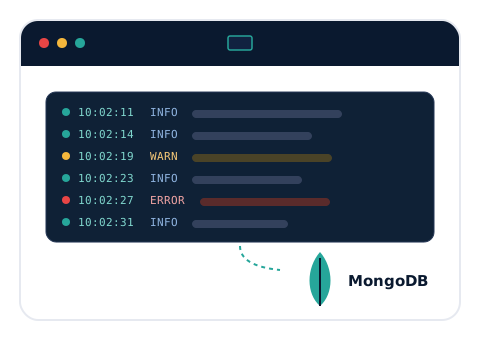
We added a real-time Log Viewer to ControlRoom and moved GenCore and ControlRoom logging to a MongoDB-based centralized infrastructure.

What's in it for you?

  • Instant Visibility: Monitor your running bots' logs in real time and with filtering.
  • Centralized Logging: All logs are gathered in a single, scalable MongoDB store.
  • Fast Diagnosis: Find issues instantly and shorten your resolution time.
ControlRoom Log Viewer and MongoDB Logging

6) Auto Save

What We Did:

We added configurable automatic saving (Auto Save).

What's in it for you?

  • No Data Loss: Your work stays safe when the unexpected happens.
  • Uninterrupted Flow: Focus on your design without thinking about saving.
  • Flexible Settings: Set the auto-save frequency to fit your needs.
Auto Save

7) Hardened ControlRoom Security

What We Did:

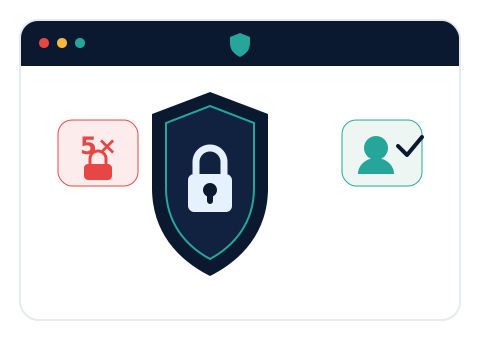
We added automatic account lockout after five failed login attempts and single-session enforcement per user.

What's in it for you?

  • Against Unauthorized Access: Brute-force login attempts are automatically blocked.
  • Account Security: Concurrent sessions with the same account are prevented.
  • Compliance: A better fit for banking and enterprise security requirements.
ControlRoom Security

8) Improved Process Management

What We Did:

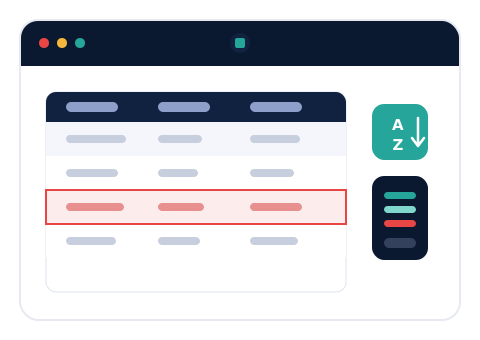
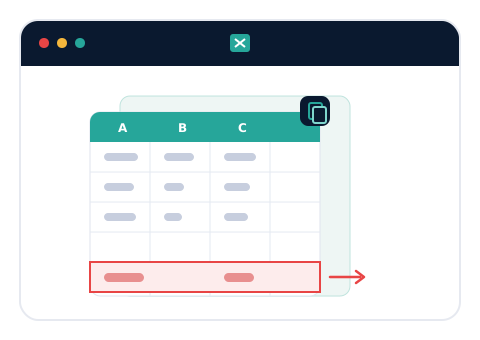
We added moving processes across folders with alphabetical sorting, and bulk export.

What's in it for you?

  • Tidy Organization: Keep your processes neatly arranged in folders.
  • Bulk Operations: Export multiple processes at once.
  • Easy Reorganization: Restructuring takes just minutes.
Process Management

9) Updated Web Picker

What We Did:

We refreshed the Web Picker component that selects web elements.

What's in it for you?

  • Accurate Selection: Capture web elements more precisely.
  • Faster: Selection takes less time, speeding up development.
  • More Reliable: Dependable automation on modern web applications.
Updated Web Picker

More New Features

Click Without Focus

With Mouse Click Without Focus and Mouse Right Click Without Focus, click without bringing the window to the front for uninterrupted background automation.

Text Extract LeftRight

Extract the value between two pieces of text quickly and easily.

Wrap Text & Outlook Delete Message

Automatically wrap text to any width, and round out your email automations with the new Delete Message activity for Outlook.

Improvements

Expression Editor

Function tooltips and Ctrl+K to instantly create variables right from the Expression Editor.

Smoother GenStudio

Activity connections are preserved when copying across pages, paste via right-click on an empty canvas, Ctrl + Double Click to open the target page from a Page activity, and canvas position is kept when focus returns to GenStudio.

ControlRoom & Logging

Enable/Disable toggle and disabled-status filtering for schedules, an Exception Type column on the Queue screen, Log Settings to view Custom/Robot logs in the Log Viewer, and server name + user info added to log files.

Activity Enhancements

Encoding/Delimiter options for DataTable To CSV and Save As Workbook, a language option for Get Browser, Add Note V2, and an Exception Type field for the Mark Exception queue activity.

Stability & Performance

Comprehensive stability and performance improvements across SAP Login, Mail/File Trigger, Loop and Multiple Assign flows, and the overall GenStudio & ControlRoom experience.

Ready to explore the new GenRPA? Contact Us!

What's New in GenRPA v3.5?

1) MCP Integration

What We Did:

We added Model Context Protocol (MCP) integration; GenStudio now communicates with LLMs in a standardized and secure way.

What's in it for you?

  • Standardized Communication: A secure, standard protocol for talking to AI models.
  • Extensibility: Connect different LLMs to your automations with ease.
  • Future-Ready: Infrastructure built for Agentic AI scenarios.

2) Breakpoint List

What We Did:

We added a list that lets you manage all breakpoints from a single, central place.

What's in it for you?

  • Faster Debugging: Manage your breakpoints from one screen.
  • Full Control: See at a glance which breakpoint is where.

3) Log Viewer

What We Did:

We added a Log Viewer that monitors your running bots' logs in real time and with filtering.

What's in it for you?

  • Live Monitoring: Watch your automation logs in real time.
  • Easy Analysis: Filter to find issues quickly.

4) Global Search Window (Ctrl+Shift+F)

What We Did:

We enabled comprehensive search across the entire project with a single shortcut.

What's in it for you?

  • Speed: Find what you're looking for in seconds.
  • Productivity: Save serious time on large projects.

5) Shadow DOM Support for Web Automation

What We Did:

We added support for Shadow DOM structures in modern web applications.

What's in it for you?

  • More Reliable: Dependable element selection on modern sites.
  • Broad Compatibility: Automate complex web components too.

6) SaaS Activities (Microsoft Teams, Slack, Jira)

What We Did:

We added ready-to-use integration activities for popular SaaS platforms.

What's in it for you?

  • Ready Integration: Connect to Teams, Slack and Jira without writing code.
  • Quick Setup: Integrate your processes in minutes.

7) Encryption Activities

What We Did:

We added built-in security activities for text encryption and decryption (Encrypt/Decrypt Text).

What's in it for you?

  • Data Security: Protect sensitive data within your automation.

  • Compliance: Meet enterprise security requirements.
8) Outlook Attachment List Support

What We Did:

We added support for listing and managing attachments from Outlook messages.

What's in it for you?

  • Easy Management: Handle attachments in bulk instead of one by one.
  • Flexibility: Quickly reach the attachment you need.

9) Inline Attachment Download

What We Did:

We added the ability to download email attachments instantly using the Message ID.

What's in it for you?

  • Direct Access: Reach the attachment of any message instantly.
  • Automation-Friendly: Easily add attachment download to your processes.

10) Add Note Activity

What We Did:

We added the Add Note activity so you can insert annotations and notes into your automation flows.

What's in it for you?

  • Readability: Document your processes right inside the flow.
  • Teamwork: Other developers understand the flow more easily.

11) Debug Tray Icon Indicator

What We Did:

We added a blinking system tray icon indicator for bots minimized in Debug mode.

What's in it for you?

  • Instant Awareness: Never miss that a bot is running in Debug mode.
  • Easy Tracking: See the status directly from the tray icon.

12) ControlRoom - Web Service Structure

What We Did:

We enabled managing web services under a centralized ControlRoom structure.

What's in it for you?

  • Central Management: Manage your web services from one place.
  • Scalability: Keep your services organized and under control.

13) ControlRoom - AI Config & Assistant Modules

What We Did:

We made AI configurations and assistant definitions manageable from ControlRoom.

What's in it for you?

  • Easy AI Management: Manage AI settings from a central place.
  • Assistant Definitions: Define your AI assistants in one place.

Improvements

Improved Activity Search Performance

Smoother and faster scrolling in the Activity Search panel.

Enhanced Log Message Activity

Expression-enabled logging for more dynamic automation insights.

UI & Stability Improvements

Refined user interface and overall stability improvements across GenStudio.

Ready to explore the new GenRPA? Contact Us!

The New GenRPA: Smarter, Faster, Simpler & Future-Ready

We’re excited to launch the new GenRPA, redesigned for the Agentic AI era. Built on a modern foundation with real-time dashboards and seamless setup, GenRPA is not just an RPA platform, it's your launchpad for AI-powered automation agents.

1) Future-Ready Foundation

What We Did:

We have upgraded the core technology platform of GenRPA to its latest and most comprehensive version.

What's in it for you?

  • Performance Boost: The new foundation offers significant performance improvements over previous versions. This means GenRPA runs faster, and your automation processes complete in less time.
  • Enhanced Security: Equipped with the latest security patches and features, the new foundation makes your GenRPA applications and automations more secure.
  • Long-Term Support (LTS): As a long-term supported platform, it ensures that GenRPA remains up-to-date and supported well into the future.

2) Completely Revamped Comprehensive Documentation

What We Did:

We have created a comprehensive knowledge base covering all of GenRPA's features, use cases, and best practices. We have completely revamped our documentation.

What's in it for you?

  • Easy Access: We offer a more understandable, organized, and accessible resource for our users to learn GenRPA and utilize its full potential. (docs.genrpa.com)
  • Quick Start: It includes step-by-step guides for beginners and in-depth technical information for experienced users.
  • Up-to-Date Information: All new features and updates on the platform are instantly reflected in the documentation.
Comprehensive Documentation

3) Seamless Transition: Migration Tool from UiPath to GenRPA

What We Did:

We have developed a special migration tool that allows you to easily transfer your existing UiPath processes to the GenRPA platform.

What's in it for you?

  • Time and Cost Savings: Instead of rewriting your existing automations, you can achieve a fast and efficient transition with this tool.
  • Low Risk: Evaluate the impact before you migrate. Our comprehensive migrations reports highlight coverage and gaps so you can plan your migration with precision.
  • Rapid Adaptation: Start benefiting from the advantages of GenRPA more quickly.
Migration Tool

4) Real Time Dashboards for Complete Visibility

What We Did:

We introduced powerful dashboards in GenControlRoom to provide detailed, real-time visibility into the performance, health, and outcomes of your automation processes.

What's in it for you?

  • Detailed Analysis: Get a clearer view of the efficiency, success rates, and potential failure points of your automations.
  • Real-Time Monitoring: Access real-time data on the status of your processes to take proactive measures.
  • User-Friendly Interface: It simplifies your decision-making processes by presenting complex data in understandable graphs and tables.
Advanced Reporting

5) Reinforced License Management

What We Did:

We have developed a brand-new license management panel that centralizes your licensing processes and security.

What's in it for you?

  • Increased Security: Our licensing infrastructure has been reinforced with the latest technologies to prevent unauthorized use and ensure the security of your licenses.
  • Flexible Management: Easily manage license assignments, tracking, and updates from a central panel.
  • Transparency: It provides clear and understandable information regarding your license usage.
License Management

6) Effortless Setup: Automatic Application Installer

What We Did:

We have developed an Installer that automatically installs and configures all of GenRPA's components (Studio, Robot, Scheduler), the database (MSSQL), the web portal (GenControlRoom), and all necessary infrastructure (IIS, Windows features, config files).

What's in it for you?

  • Rapid Deployment: By automating complex setup steps, get GenRPA ready for use in minutes.
  • Full-Scope: It covers not only the main applications but also all steps like the automatic configuration of Management Studio, necessary Windows features, IIS, and config files.
  • Error Reduction: It eliminates potential configuration errors that can occur during manual setup, ensuring a smooth start.
Automatic Installer